Excel Basics

How to Change the Conditional Formatting Icon Set Color in Excel – 4 Steps

This is an overview. You can see the different colors of the icons in the columns "Before Changing" and "After Changing." In the image ...

How to Add Negative Numbers in Excel – 4 Methods

The sample dataset contains Categories and Expenses. Method 1 - Using the SUMIF Function to Add Negative Numbers in Excel Steps: ...

How to Make Negative Accounting Numbers Red in Excel – 3 Methods

The sample dataset contains monthly expenses, their amount and the balance after the expenses. Method 1 - Using Excel Conditional ...

How to Create a Contact List in Excel – 2 Steps

  Step 1: Create a Dataset A table with “First Name” and “Last Name” was created. Insert two columns to enter “Mail ...

How to Change Gridlines to Dash in Excel (with Easy Steps)

Microsoft Excel opens by default showing solid gridlines like in the following picture. Let's change the gridlines from solid to dash. ...

How to Fix an Excel File That Is Open but Not Visible

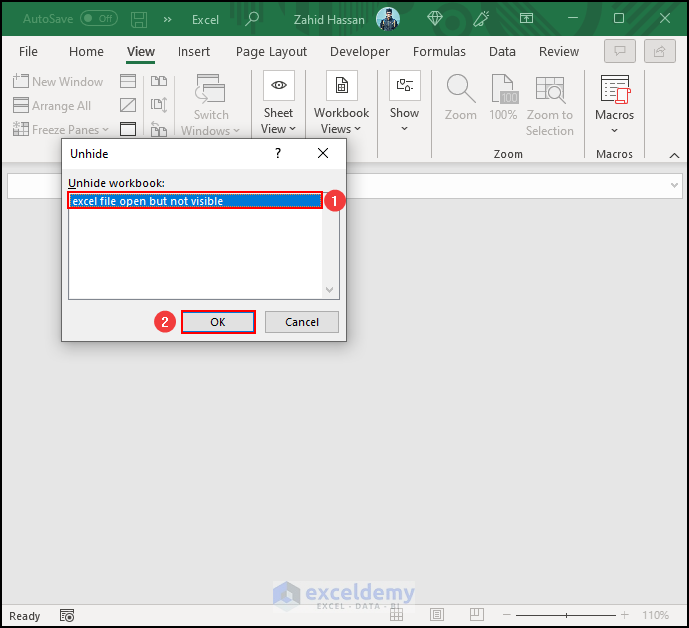
In the following dataset, we have the Monthly Sales Data of ABC Foodcourt. If our Excel file is open but not visible, then it will look like ...

Troubleshooting Excel Print Area Issues (2 Possible Solutions)

Solution 1 - Using Page Break Preview If the Excel Set Print Area feature isn’t working as expected, try this first solution. Page Break Preview ...

How to Move Page Breaks in Excel (With Easy Steps)

If you are looking for ways to move Page Breaks in Excel, this article will serve the purpose. Moving Page Breaks gives you a customized outlook of ...

How to Keep Gridlines When Copy and Paste in Excel (2 Ways)

Instead of writing the same thing again and again, we often use Copy and Paste command. It saves both time and hustle. In Microsoft Excel, we can ...

How to Draw Arrows in Excel – 3 Methods

Consider the dataset below. It showcases Product names and Sales in January and in February. Insert an up or a down arrow to indicate the increase ...

How to Hide Header and Footer in Excel (2 Easy Methods)

We have a dataset of some Student Names and their respective Departments. We will add the header and footer to this workbook. While in the ...

How to Hide Columns Without Right Click in Excel (3 Ways)

In terms of using Microsoft Excel, we can keep unnecessary or confidential data hidden. We can even hide the entire data. While hiding the entire ...

How to Create Table of Contents Without VBA in Excel

While working with Microsoft Excel, you may have dealt with several sheets in your workbook. However, if you need to create a table of contents with ...

How to Insert Logo in Excel Header (4 Easy Ways)

Looking for ways to know how to insert logo in Excel header? We want to insert a logo of a company or institute in Excel header. Here, you will find ...

How to Remove the Page Number from the Page Break Preview in Excel – 2 Methods

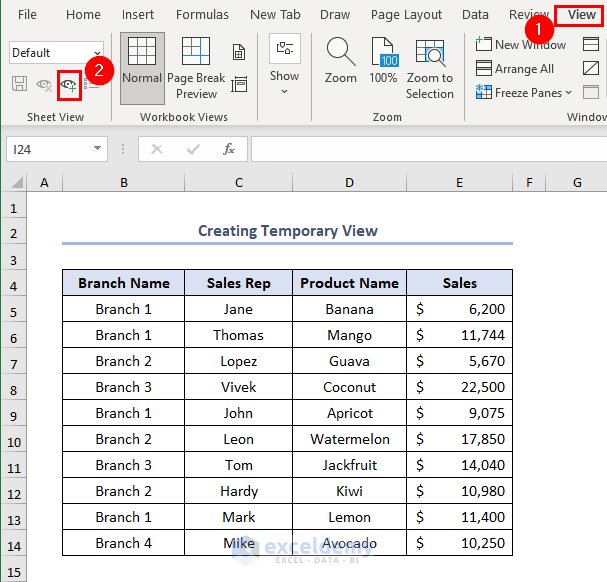
When you view a worksheet in Page Break Preview, Excel displays page breaks as dashed lines. By default, the page number appears at the center of ...

Close the CTA

Advanced Excel Exercises with Solutions PDF


ExcelDemy
Logo