Excel Basics

How to Move Rows to Columns in Excel (4 Effective Ways)

Excel is exceptionally well to handle and calculate large datasets. When working with large datasets, it is a frequent need to move rows in Excel to ...

How to Move a Row to Another Sheet Based on the Cell Value in Excel (2 Methods)

Dataset Overview Often, we need to move or copy rows based on cell values to different worksheets for various purposes. The cell value can be in any ...

The Quick Access Toolbar is Missing in Excel – 6 Solutions

This is an overview. Why is the Quick Access Toolbar Missing? Possible Reasons: It was Accidentally Removed. The Customized Quick ...

How to Print Background in Excel (With Easy Steps)

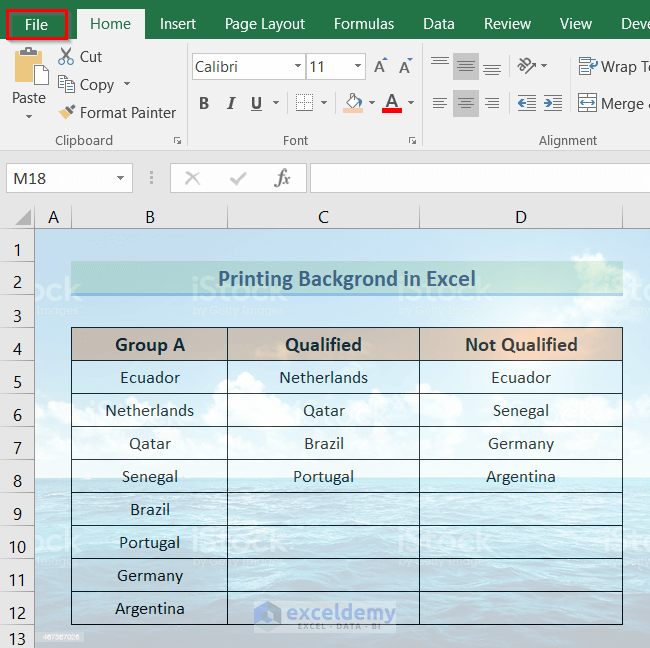
Sometimes we need to print a dataset in Excel with a background. We can insert a background to our dataset if we choose the Background option from ...

How to Use Header and Footer in Excel (3 Quick Ways)

People like to have their things decorated. Header and Footer are one of the most amazing features to decorate Microsoft Excel worksheets. If you ...

How to Flip Data from Horizontal to Vertical in Excel (6 Methods)

Dataset Overview We will be working with the following dataset, which includes product names and their corresponding total prices. Our task is to ...

How to Turn Off AutoSum in Excel (2 Easy Ways)

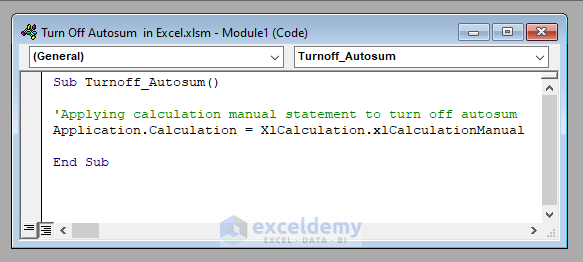
Every time a cell is modified, Excel by default updates every formula in a workbook. This may cause work to become slower, especially in complex ...

How to Sum Negative and Positive Numbers in Excel – 2 Methods

To sum positive and negative numbers in the dataset: Method 1 - Sum Only Positive Numbers 1.1 Using SUMIF Function Sum all numbers above ...

How to Use Blue Line with Arrows in Excel

Method 1 - Add Precedent Arrows In cell D8, use this formula: =$D$4*C8 Cell D8 is preceded by cells D4 and C8. We can see this ...

How to Set Print Area for Multiple Pages in Excel (2 Ways)

To demonstrate our methods, we'll use the following dataset:   Method 1 - Using Set Print Area Option STEPS: Select the cells ...

How to Group and Hide Columns in Excel (3 Easy Methods)

Method 1 - Using Excel Ribbon to Group and Hide Columns in Excel Steps: To hide the Product ID and Sold Amount, you need to group them first. ...

How to Flip Data Horizontally in Excel – 3 Methods

These are the sample datasets.   Method 1 - Using the Sort Command to Flip Data Horizontally in Excel  Steps: Select any ...

Excel Sheet Not Visible When Opened: 6 Methods

Method 1 - Hidden Excel Sheets Not Visible When Opened Steps: Go to the View tab in the ribbon. From the Window group select the ...

How to Unhide Multiple Sheets in Excel (4 Ways)

You might want to hide several worksheets while using Excel to work with data that is dispersed across several worksheets. The amount of complexity ...

How to Put Excel Tabs on Top of Worksheet (2 Easy Ways)

Here's a GIF overview of how to access worksheets from the Quick Access Toolbar (QAT) which are added in QAT using VBA code. Method 1 - ...

Close the CTA

Advanced Excel Exercises with Solutions PDF


ExcelDemy
Logo