How to Make a Daily Schedule in Excel: 6 Practical Examples

Method 1 - Make a Basic Daily Schedule This Excel daily schedule template is really simple but very good. With time slots, hobbies, and a to-do list ...

How to Spell a Number in Dirhams in Excel (2 Ways)

The following dataset contains a list of products and their sales values. We will try to enter the numbers in the Sales column as words with Dirhams ...

How to Remove Comma from Currency in Excel (6 Handy Tricks)

Does comma in numbers in an Excel worksheet bother you? Do you want to clean up your data by removing the comma from the number describing currency? ...

Convert Military Time to Standard Time in Excel (2 Suitable Ways)

If you are searching for a solution or some special tricks to converting military time to standard time in Excel then you have landed in the right ...

[Fixed!] Excel Changing Dates to Random Numbers (3 Solutions)

Sometimes, when we input dates or do some operation with the dates, they change into random numbers. As a result, we cannot see the original dates. ...

How to Find the Equation of a Trendline in Excel- 5 Steps

  What Is Trendline in Excel? A trendline is a linear or curved line in a graph or chart that defines the general pattern of the selected ...

Spell Number Not Working in Excel: Complete Guide

Method 1 - Solving Spell Number for US Currency Steps: Go to the Developer Tab and then select Visual Basic. The VBA editor will ...

How to Stop Excel from Auto Formatting Numbers (3 Easy Ways)

As can be observed in the animation below, by default Excel changes the format of numbers after they've been input. It can become tiresome having to ...

How to Stop Autocorrect in Excel for Dates (3 Quick Ways)

Excel has extraordinary autocorrect features. When you type some data in Excel cells, it auto-corrects the data type sometimes which might create ...

[Solved!] Long Numbers Are Displayed Incorrectly in Excel

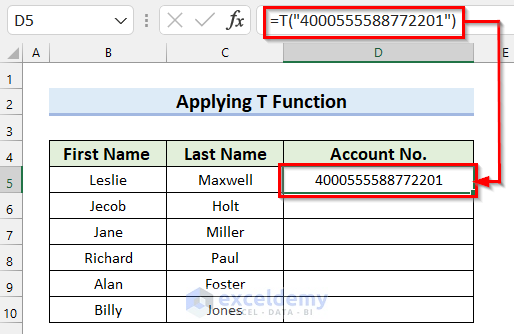
Working with long numbers (more than 11 digits) can be a problem in Excel. There are some auto formatting options in the program to keep the ...

How to Apply Conditional Formatting to Dates 6 Months prior to Today – 3 Steps

The dataset show cases products and manufacturing dates. To highlight dates 6 months prior to today: Step 1 - Select the Range and Add ...

How to Convert Time to Minutes in Excel (5 Suitable Methods)

Here's a simple overview of converting time values to different formats. Method 1 - Convert Hours and Minutes in the HH:MM Format to Just ...

How to Keep Excel Chart Colors Consistent: 3 Simple Methods

Method 1 - Using Copy Paste Feature to Keep Excel Chart Colors Consistent Steps: Select the data range for the chart. Go to the Insert tab. ...

How to Stop Excel from Rounding 16 Digit Numbers (2 Easy Ways)

The Reasons Behind Excel Rounding Numbers Excel maintains IEEE 754 in storing numbers. Numbers containing digits up to 15 will be displayed as ...

How to Make an X Y Graph in Excel (With Easy Steps)

We will set up a dataset in columns B and C and then using the X-Y graph we will display, modify, and format our X and Y plots. Step 1 - Collect ...

Close the CTA

Advanced Excel Exercises with Solutions PDF


ExcelDemy
Logo