Latest Blog Posts

How to Multiply 3 Matrices in Excel (2 Easy Methods)

Matrices are arrays of numbers. Multiplication of matrices has a wide range of uses in various fields like linear equations, network theory, etc. ...

How to Apply Retrospect Theme in Excel

Everyone is a fan of beauty. We admire the beautiful things. We even try to beautify our workbook. There are so many themes built-in Microsoft Excel ...

How to Connect Slicer for Multiple Pivot Tables in Excel: 3 Methods

Method 1 - Creating Multiple Pivot Tables to Connect Slicer We will be using the following dataset as source data. We need two pivot tables ...

How to Create a Traceability Matrix in Excel – 6 Steps

A Traceability Matrix (TM) includes correlative documentation of a project.   What Is a Traceability Matrix? A ...

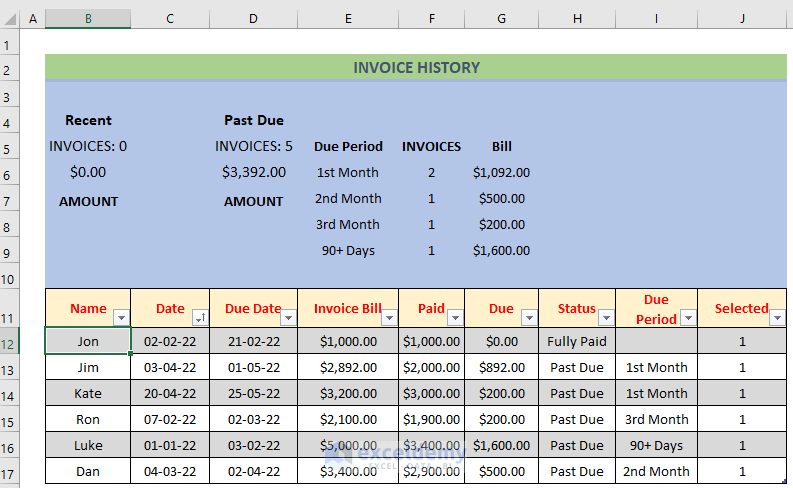
How to Keep Track of Invoices and Payments in Excel – 3 Examples

This is the template: Example 1 - Keeping Track of Invoices and Payments in Excel by Showing Recent and Past Invoice Amounts Steps: ...

How to Type Diameter Symbol in Excel (4 Quick Methods)

  Method 1 - Use the Insert Tab to Type a Diameter Symbol in Excel Steps: Select cell C5. Go to the Insert tab and select ...

How to Insert Symbol in Excel Footer (3 Effective Ways)

If you are searching for ways to insert a symbol in the Excel Footer, then this article will be helpful for you. So, let’s get into the main article. ...

How to insert a Plus Sign in Excel without a Formula – 3 Methods

The dataset showcases employee information: Name, Department, and Phone.   Method 1- Using the Custom Format Feature to Insert a ...

How to Protect Formulas Without Protecting Worksheet in Excel

While working with Excel, we sometimes need to share files with others. Whenever the file is distributed with other authors and users, it allows the ...

How to Import Stock Prices from Yahoo Finance into Excel – 3 Easy Steps

  STEP 1 - Create a Query Create a query to import historical stock prices from Yahoo! Finance of a specific company. Here, Microsoft’s ...

How to Remove Horizontal Error Bars in Excel (4 Quick Methods)

Horizontal error bars in charts that we create help us a lot to see margins of error and show standard deviations. But sometimes we need to get rid ...

How to Create a Risk Matrix in Excel

The steps for creating a risk matrix: Define Probability Criteria for an Event List the different possibilities or likelihoods of an event ...

Create a Functional To Do List in Excel – 4 Methods

The following dataset showcases a Homework List table with Date, Subject Name, and Status. Method 1 - Using a Drop Down List to Create a ...

How to Set Rounding Precision in Excel (with Easy Steps)

While working with Microsoft Excel if you want to save your precious time you might need to set rounding precision in excel. By setting rounding ...

How to Open Multiple Excel Files in One Window: 4 Easy Methods

Method 1 - Use Windows and Arrow Keys to Open Multiple Excel Files in Single Window Steps: Open the files separately. The first Excel ...

Close the CTA

Advanced Excel Exercises with Solutions PDF


ExcelDemy
Logo