

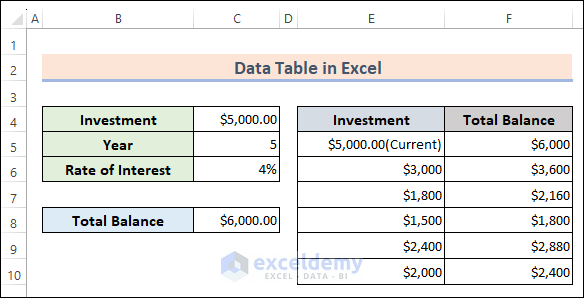
This is an overview:
Download Practice Workbook
Download the practice workbook.
What Is a Data Table in Excel?
A Data Table in Excel allows you to perform a what-if analysis by testing different combinations of input values and observing their impact on the output of a formula.
How to Create a Data Table in Excel
1. Create a One Variable Data Table
One Variable Column-Oriented Data Table
- Use the following formula in C8 to calculate the total balance.
=C4+(C4*C5*C6)C4 is the Investment, C5 the number of years, and C6 the Rate of Interest.
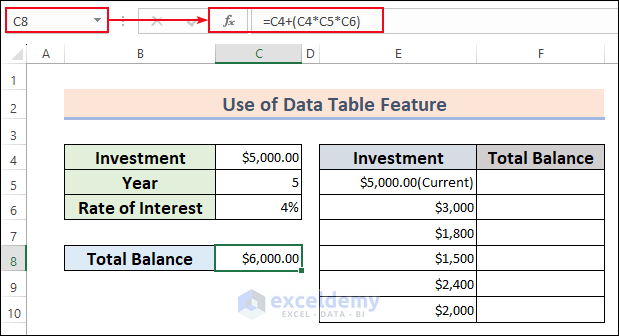
- Link the first row of Total Balance to the result in C8:
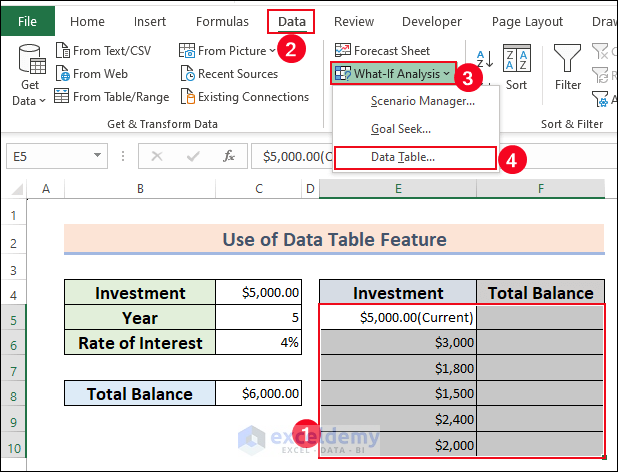
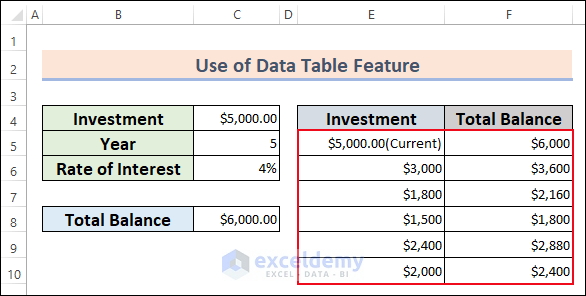
- Select the E5:F10 >> Go to the Data tab >> Choose Forecast>> Select Data Table in What-If Analysis.
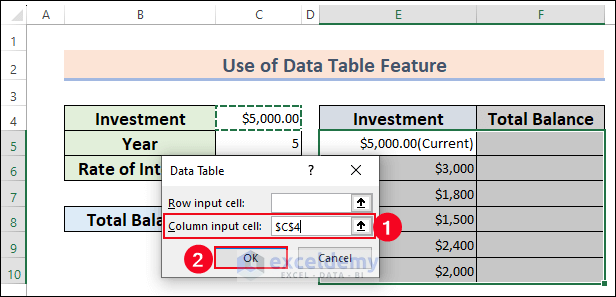
- In the Data Table dialog box >> Enter C4 with absolute reference in Column input cell: (it is a column-oriented data table)
- Click OK.
You will see the Total Balance for different Investments.
One Variable Row-Oriented Data Table
- Link the first column in Total Balance to the result in C8.
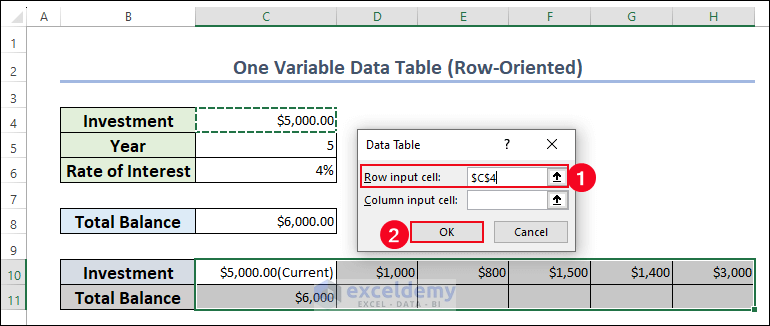
- Select C10:H11 and go to the Data tab >> Forecast >> What-If Analysis >> Data Table.
- In the Data Table dialog box, enter C4 with absolute reference in Row input cell: (it is a row-oriented data table)
- Click OK.
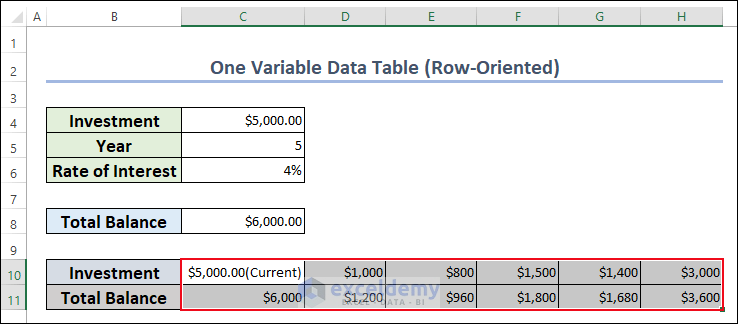
You will see the different results in the Total Balance row.
2. Create a Two Variable Data Table
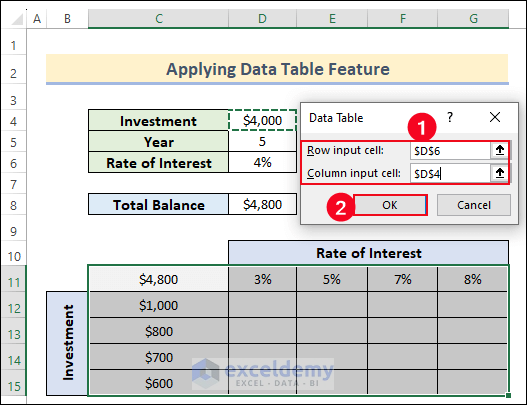
The values in the Rate of Interest column were changed. To see the changes of the Total value:
- Link Total Balance to C11.
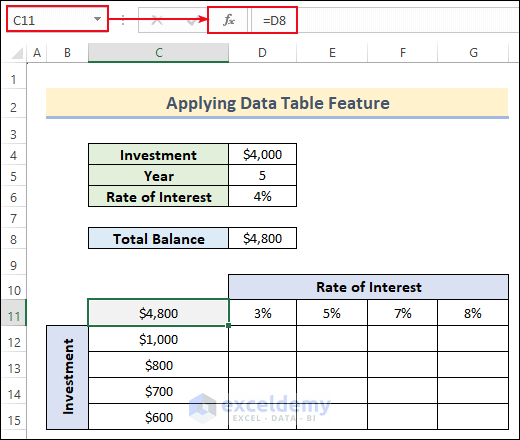
- Select What-If Analysis.
- In the Data Table dialog box, follow the steps shown in the image below.
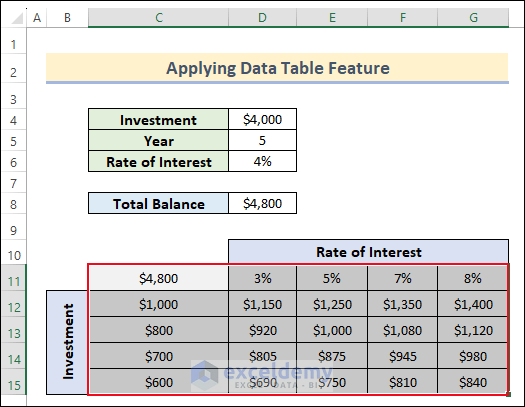
This is the final output:
How to Edit Data Table Results in Excel
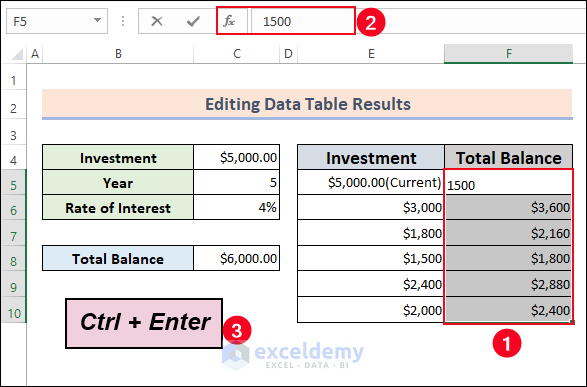
- Select the cell ranges >> go to the Formula Bar >> Enter the target result >> Press Ctrl + Enter.
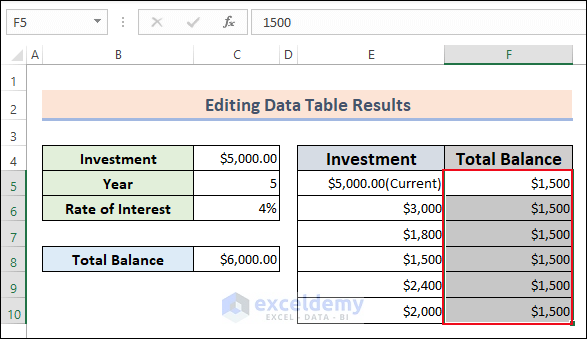
This is the output.
How to Delete a Data Table in Excel
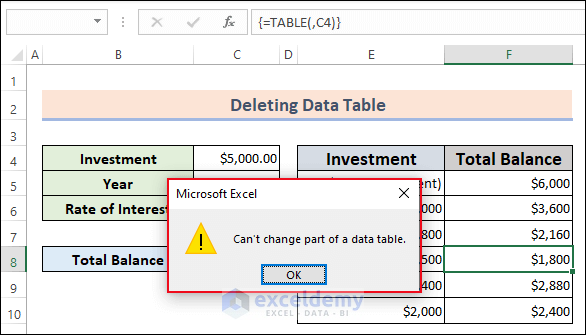
If you try to delete values in cells containing the result, a warning message will display “Can’t change part of a data table”
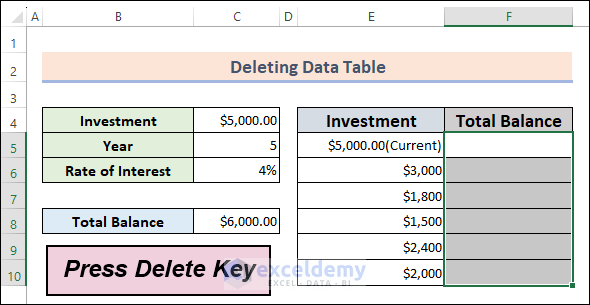
- To delete the data table, select the entire result of the data table and press Delete.
Frequently Asked Questions
1. Can I modify the input values in a Data Table?
Answer: Yes, change the values in the input cells and Excel will automatically recalculate and update the results.
2. Is it possible to create a Data Table for non-numeric values?
Answer: Yes, Data Tables can be used with non-numeric values.
4. Can I save a Data Table as a separate entity within Excel?
Answer: No, Data Tables are not saved as separate entities in Excel. They are dynamic calculations based on the underlying data and formulas.
Data Table in Excel: Knowledge Hub
<< Go Back to What-If Analysis in Excel | Learn Excel
Get FREE Advanced Excel Exercises with Solutions!


I want to know how to use vlookup in excel
Hello Ayodeji,
VLOOKUP is one of the most useful function. Glad to hear, you want to learn about VLOOKUP. We have plenty of articles about VLOOKUP.
Please explore all the articles from basics to advanced level use: Use of Excel VLOOKUP Function
Regards,
ExcelDemy