Latest Blog Posts

Using an Excel Macro to Compare Two Columns – 4 Methods

The sample dataset showcases Bank data: Full Name, Email_ID, and Address. To check whether the same person has accounts in both banks: ...

How to Remove Leading Space in Excel (5 Useful Ways)

Sometimes there may be some extra spaces at the front of your data in Excel and you may need to remove these extra leading spaces to use this data. ...

How to Remove Checkboxes from Excel: 6 Methods

Method 1 - Removing Checkboxes from Excel with Go To Command Steps: Go to Home >> Select Find & Select (in the Editing section) ...

How to Check If a Cell Is Empty in Excel (7 Methods)

  Method 1 – Using the ISBLANK Function Syntax: ISBLANK(value) Argument: value – This value will be tested. This may be empty or ...

Conditional Formatting Based on Multiple Values of Another Cell

Method 1 - Conditional Formatting on a Single Column Based on Multiple Values of Another Cell Step 1: Select Column and Open Conditional Formatting ...

How to Count Duplicates with Pivot Table in Excel

Sometimes we need to count the duplicates in an Excel PivotTable for easy calculation. The Excel PivotTable is an amazing feature. In this article, ...

How to Remove Numbers from a Cell in Excel (7 Effective Ways)

We have placed some Product Names and their IDs in the dataset. We want to remove the numbers from the Product IDs. Method 1 - Using Find ...

How to Calculate the Average in Excel – 11 Methods

Download Practice Workbook Download the Excel workbook. Calculate Average.xlsx Method 1 - Calculating the Simple Arithmetic Average of ...

How to Remove Carriage Returns in Excel: 3 Easy Ways

Method 1 - Delete Carriage Returns Using Find and Replace Steps: Select the cells containing line breaks. Press Ctrl+H from the ...

Null vs Blank in Excel

While working with data in Microsoft Excel, you may encounter Null values or Blank cells. What Is Null in Excel? A null value in a cell ...

How to Do Conditional Formatting Based on Another Cell in Excel (6 Easy Ways)

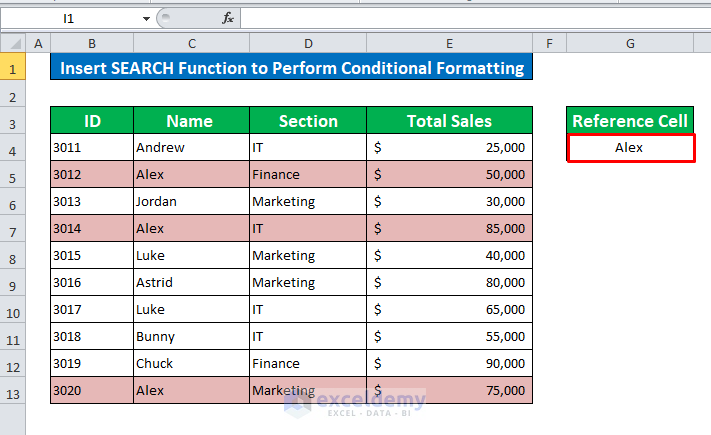
Below is a database containing the ID, Name, Section, and Total Sales of some Sales Representatives. We will format some cells using conditional ...

How to Check If Cell Is Empty Using Excel VBA: 5 Easy Methods

Method 1 - Using the VBA IsEmpty Function to Check If Cell Is Empty  Steps: Press Alt + F11 on your keyboard or go to the tab Developer -> ...

How to Remove the Page Break Lines in Excel (3 Methods)

What Are the Page Break Lines? Page break lines divide an Excel worksheet into separate pages for printing. There are two types of page break lines: ...

How to Find Duplicate Rows Based on Multiple Columns in Excel

Method 1 - Using the COUNTIFS Function We will use the following dataset for this method. STEPS: Select the cell range. Go to the ...

How to Split Excel Sheet into Multiple Sheets Based on Column Value

Here's an overview of using slicers to filter a table by specific value. Read on to learn more. Split Excel Sheet into Multiple Sheets ...

Close the CTA

Advanced Excel Exercises with Solutions PDF


ExcelDemy
Logo