This article demonstrates a step-by-step guide to making a GST export invoice format in Excel. GST stands for Goods and Services Tax. Simply put, ...
Method 1 - Formatting Axis to Flip Bar Chart Step 1: Select the cell range B4:C12. Step 2: Go to the Insert tab of the ribbon. ...
Excel is the most widely used tool for dealing with massive datasets. We can perform myriads of tasks of multiple dimensions in Excel. Especially ...
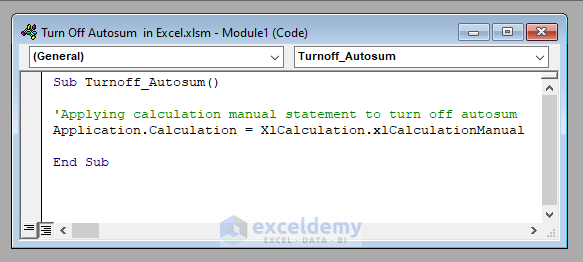
Every time a cell is modified, Excel by default updates every formula in a workbook. This may cause work to become slower, especially in complex ...
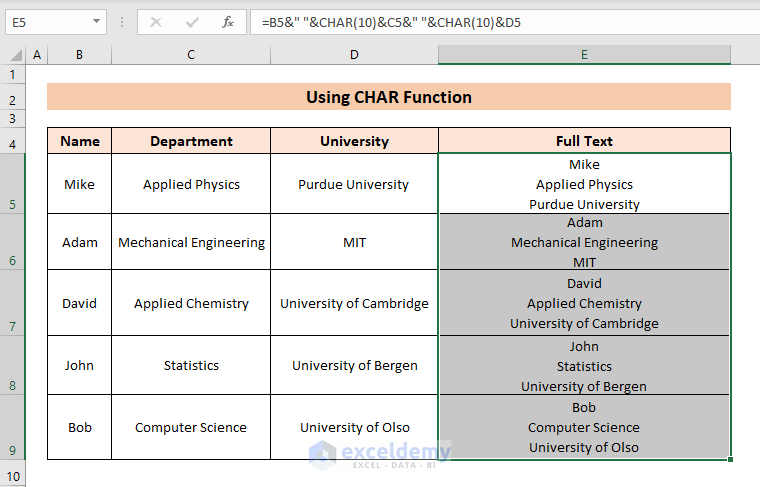
Method 1 - Using Keyboard Shortcut Let’s say a cell is describing a student studying a specific subject at a university. The data here is ...
To sum positive and negative numbers in the dataset: Method 1 - Sum Only Positive Numbers 1.1 Using SUMIF Function Sum all numbers above ...
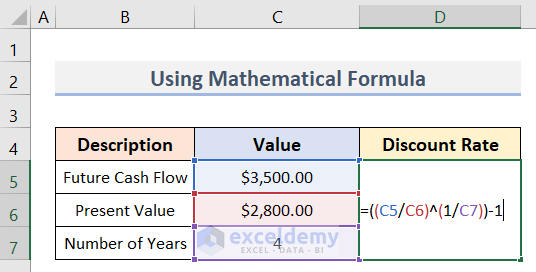
What Is a Discount Rate? The discount rate is the factor used to bring future cash flows back to the present day. It also refers to the interest ...
Dataset Overview To illustrate the methods, we’ll consider two employee data lists stored in separate sheets: T-1 and T-2. Additionally, ...
To select a winner from a lottery, a raffle draw is required. Drawing raffles manually is time-consuming and tedious if there are many participants. ...
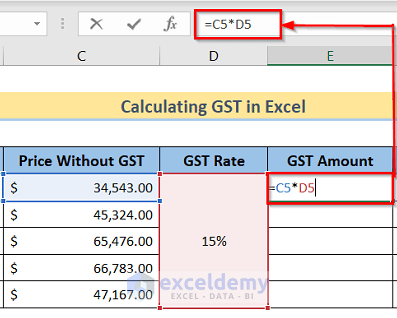
Step 1 - Arranging Proper Dataset We have the Products in Column B and the Price Without GST in Column C. We have to create three ...
What Is a Data Model? In Excel, a data model is a collection of data tables. These tables are interconnected through one or more data series, ...
Method 1 - Using a File Stored in the System Memory Steps: Go to Data > Get Data > From File. Select From XML. In the ...
Method 1 - Add Precedent Arrows In cell D8, use this formula: =$D$4*C8 Cell D8 is preceded by cells D4 and C8. We can see this ...
To demonstrate our methods, we'll use the following dataset: Method 1 - Using Set Print Area Option STEPS: Select the cells ...
Method 1 - Using Excel Ribbon to Group and Hide Columns in Excel Steps: To hide the Product ID and Sold Amount, you need to group them first. ...
Advanced Excel Exercises with Solutions PDF