Excel VBA: Remove Duplicates from an Array (2 Examples)

In this article, we'll demonstrate how to remove duplicates from an array using Excel VBA code. VBA Code Quick View Sub ...

Excel Macro: Convert Multiple Rows to Columns (3 Examples)

In this article, we’re going to show you 3 methods to convert multiple rows to columns in Excel Macro. For this purpose, we’ve taken a dataset with 3 ...

[Fixed!] Hyperlinks in Excel Not Working After Saving (5 Solutions)

We often use hyperlinks in Excel for many purposes but sometimes in some particular cases, it may not work. There are some common issues for that. In ...

How to Link a Website to an Excel Sheet (2 Methods)

In some cases, we need to add some information from a website to an Excel sheet that changes frequently. To save time and energy, it’s better to ...

How to Move Rows Down in Excel (6 Ways)

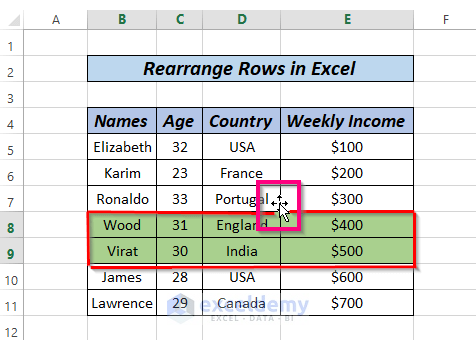
Method 1 - Move Rows Down Using Mouse Select the entire row (row 5) from the dataset. Move your mouse cursor to the boundary of your ...

How to Make Grid Lines Bold in Excel: Complete Guide

Method 1 - Open Excel File and Select Grid Lines Open the Excel file. Select the dataset where you want to get bold gridlines. From Excel ...

How to Remove an Automatic Formula in Excel – 5 Methods

The sample dataset represents Total marks obtained using the SUM function. Method 1 - Using the Paste Values Feature to Remove an ...

How to Convert Multiple Rows to Columns in Excel (9 Ways)

If you are looking for some of the easiest ways to convert multiple rows to columns in Excel, then you will find this article helpful. In the ...

How to Create Rows within a Cell in Excel (3 Methods)

Let’s introduce today’s dataset where the Names of some employees are provided along with their corresponding States and E-mails (inserted ...

How to Group Rows in Excel Pivot Table (3 Ways)

This article illustrates how to group rows in an Excel Pivot Table. Grouping values in a Pivot Table makes it more presentable and more easily ...

How to Transpose Multiple Columns to Rows in Excel

Method 1 - Transpose Multiple Columns to Rows Using Paste Option Step 1: Select the entire range that you want to transpose, right-click and. from ...

How to Calculate Weighted Ranking in Excel (4 Ways)

Calculating a simple average and a weighted average are two different things. For example, if you take Quizzes and all of them have the same weight, ...

How to Insert a New Line in a Cell Using Formulas (5 Methods)

Method 1 - Using a Formula and Text Wrapping Suppose you have student information, including student IDs, names, and departments, stored in ...

Missing Row Numbers and Column Letters in Excel – 3 Solutions

This is an overview. Solution 1 - Use the View Command to Re-Enable Missing Row Numbers and Column Letters in Excel Steps: Go to View. ...

How to Sort Merged Cells of Different Sizes in Excel (2 Easy Ways)

Method 1 - Sort Merged Cells of Different Sizes Using Unmerge Cells and Sort Commands The data table in the following picture has merged cells of ...

Close the CTA

Advanced Excel Exercises with Solutions PDF


ExcelDemy
Logo