Latest Blog Posts

How to Make Dynamic Drop Down List from Another Sheet in Excel

When you work with a large set of data, your data may disperse in several sheets of your Excel file. A dynamic drop-down list can help you to ...

How to Use ISBLANK Function to Check If Cell Is Blank in Excel

Certainly, Microsoft Excel is a popular tool for arranging and manipulating data. Now, what if you need to check for blank cells? With this question ...

How to Find Max Date in Range with Criteria in Excel

The dataset we'll use for this tutorial has nine rows and three columns. Initially, we'll keep all the cells in General format and the date values in ...

How to Interpolate Time Series in Excel (3 Easy Ways)

Microsoft Excel is an intuitive tool that more than lives up to its excellent reputation. Thanks to Excel's tools and functions, we can perform ...

[Fixed!] AutoComplete Not Working in Excel (2 Possible Solutions)

In this article, we will deal with the issues when AutoComplete is not working in Excel. The AutoComplete is a very powerful feature of Excel. It ...

How to Use NOMINAL Function in Excel

Microsoft Excel is a handy software. We use Excel functions for our education, business, and financial analyses. Moreover, in light of the effective ...

How to Use Format Painter Multiple Times in Excel

We have copied formatting from a column to multiple columns. You can keep copying the format until you manually deactivate the Format Painter. ...

Excel IF Statement with VLOOKUP for Multiple Conditions Range

The IF function and the VLOOKUP function are widely used while working in Excel. The combination of these functions can find out specific values with ...

How to Use FORECAST Function with Multiple Variables in Excel (6 Methods)

Method 1 - Using the FORECAST Function Enter the following formula in cell C12. =FORECAST(B12, C5:C11, B5:B11) Formula Breakdown ...

How to Highlight Cell If Contains Text in Excel (with Easy Steps)

We like to have our data sorted. Sometimes, we might face the necessity to differentiate cells containing text from the entire dataset. In this ...

[Fixed!] Error 509 in Excel (4 Possible Solutions)

Error 509 in Excel is also known as the runtime error(bug). Before releasing the final product to the public, Software developers generally work ...

How to Check If Cell Contains One of Several Values in Excel – 4 Methods

The sample dataset contains a To Do list and values to find. Check if cells contain one of these values. Method 1 - Combine the IF, ...

How to Calculate Logarithmic Interpolation in Excel (2 Easy Ways)

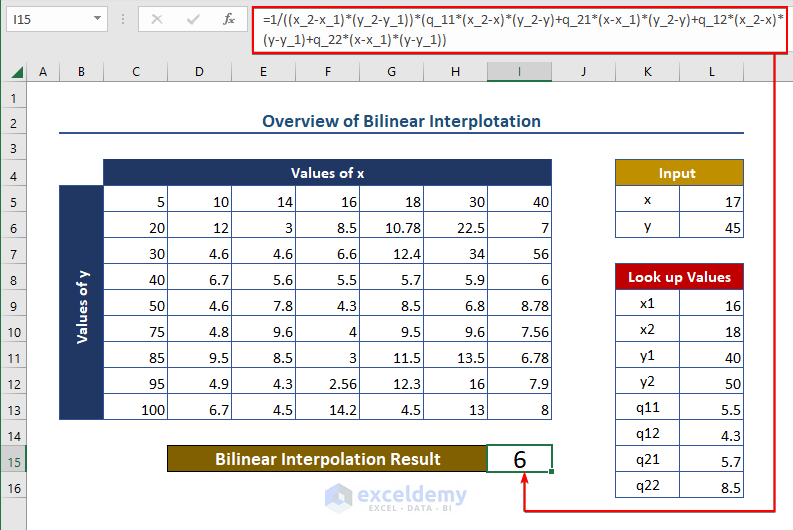
Interpolation is the process of determining the value of an unknown point that lies between two known data points. While calculating linear ...

How to Perform Bootstrapping in Excel (with Easy Steps)

Introduction to Bootstrapping Bootstrapping is a method of constructing a confidence interval for a statistic with the following features: The ...

How to View Properties Dialog Box in Excel (2 Quick Ways)

The properties dialog box reveals the basic information about an Excel file. The file size, its location, the name of the author, and many other ...

Close the CTA

Advanced Excel Exercises with Solutions PDF


ExcelDemy
Logo