Excel Formulas

How to Merge Two Tables Based on One Column in Excel (3 Ways)

We have two sheets named Table 1 and Table 2. In the first sheet, we have a table that contains the seller’s info. In the second sheet, we ...

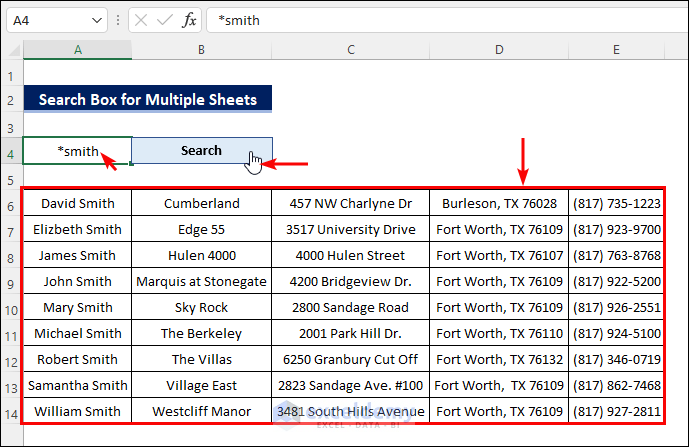
How to Create a Search Box in Excel for Multiple Sheets (2 Methods)

Method 1 - Searching Multiple Sheets in Excel Using Conditional Formatting Follow these steps to apply conditional formatting and quickly search ...

How to Put Comma After 5 Digits in Excel (5 Methods)

Commas are used to represent numbers properly. There is some format of using commas with a number. Usually, commas are used after 3 digits in a ...

How to Use Integration in Excel to Find Area Under a Curve

The following dataset shows some coordinates of a random curve. Step 1 - Set Data Properly and Create Scatter Chart Set your data in ...

How to Count Missing Values in Excel (2 Easy Ways)

Sometimes, users have to list missing things in Microsoft Excel. While making these kinds of lists, it is important to count how many values are ...

Descriptive Statistics – Input Range Contains Non-Numeric Data

Descriptive Statistics can work only on numeric values. When non-numeric data is used for Descriptive Statistics, it shows an error that instructs us ...

How to Merge Two Tables in Excel Using the VLOOKUP Function – 2 Examples

You have two separate Excel tables containing different data and want to merge these tables into one:   The VLOOKUP Function The ...

How to Remove GST from Total Amount in Excel (With Easy Steps)

To explain the steps clearly, we'll use a simple dataset to calculate taxes on an individual item. We have formatted cells C4, C6, and C7 as ...

How to Do Cube Root in Excel (3 Easy Methods)

As Excel does not provide any special function for finding the cube root of a number one may find it difficult to do cube root in Excel. If you are ...

How to Calculate GPA in Excel (with Easy Steps)

Method 1 - Creating Reference Table to Calculate GPA Create a table with 3 columns and 6 rows. Name the columns as Percentage, Grade, and ...

How to Do Differentiation in Excel – Easy Steps

Definition of Differentiation Differentiation means the rate of change between two individual quantities or values. The ratio of the small change in ...

How to Do Descriptive Statistics in Excel (2 Suitable Methods)

Sometimes you may need to do Descriptive Statistics in Excel. In addition, you can find out lots of statistical terms like Summation, Median, Mean, ...

How to Fill Missing Values in Excel (5 Useful Tricks)

The sample dataset shows the information of sales amount of some cities in 3 different countries. We will fill some blank values. Method 1 ...

How to Sum Only Numbers and Ignore Text in the Same Cell in Excel (6 Easy Methods)

Dataset Overview Let’s consider a dataset where we’ve entered the names of 10 employees and their salaries inside the same cell. Our dataset spans ...

How to Count Significant Figures in Excel (2 Ways)

We can define significant figures as the important figures of a certain number that accurately represent the meaning of that number. The concept of ...

Close the CTA

Advanced Excel Exercises with Solutions PDF


ExcelDemy
Logo



