How to Convert Hours to a Percentage in Excel – 3 Methods

The dataset showcases Entry and Exit time of different employees. To convert the working hours to a percentage: Method 1 - Use a ...

How to Reverse Order of Data in Excel (4 Useful Methods)

To illustrate, we have used 2 types of datasets in Excel; one for horizontally reversing, and the other one for vertically reversing, the data order ...

How to Convert GMT to EST in Excel (4 Quick Ways)

If you work for a foreign international organization, then you might need to know the time of different regions of the world. Because of the rotation ...

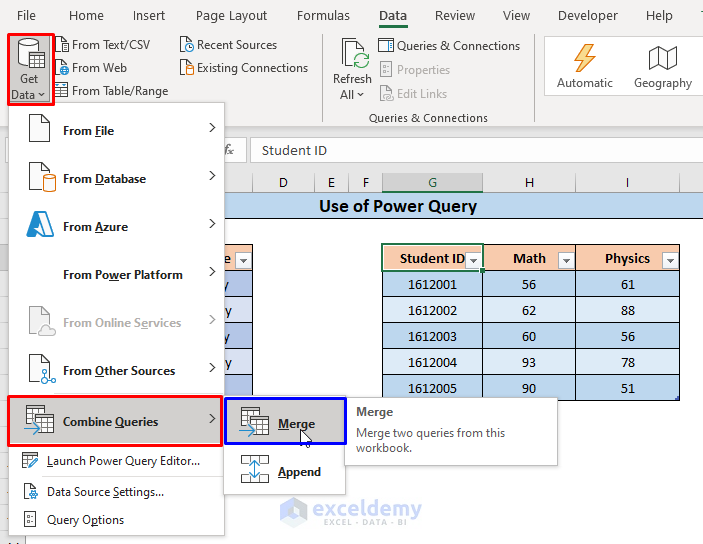
How to Merge Datasets in Excel (5 Easy Methods)

The below dataset contains a table displaying, Student IDs and Names and another table containing Student IDs, Math, and Physics Scores. We will ...

How to Fix Formula in Excel (9 Easy Methods)

While working in Excel, you may have trouble using formulas. To get rid of this problem, you need to know how to Fix Formulas in Excel. In this ...

Excel VBA to Select First Visible Cell in Filtered Range

Method 1 - Use Sheet Name to Select First Visible Cell in Filtered Range with Excel VBA STEPS: Go to the Developer tab and select Visual Basic. ...

How to Do Integration in Excel (2 Handy Approaches)

Integration is One of the most crucial mathematical tools. We can use it to compute area, volume, and many other beneficial metrics. We can also use ...

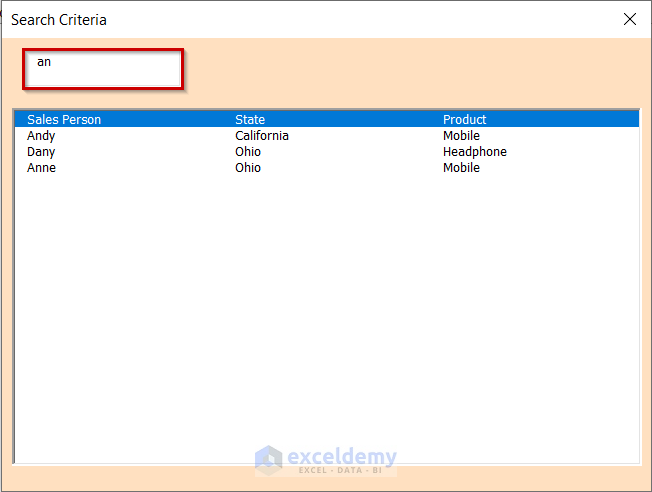
Create a Search Box in Excel with VBA (5 Suitable Examples)

We have taken the following table as the dataset. This table contains State, Sales Person, and Product columns. We will create a search box in Excel ...

How to Rename Column in Excel (3 Easy Ways)

The default column name in Excel, denoted by the alphabet, does not represent the actual data that the column contains. So we need to change the ...

How to Calculate Remaining Shelf Life Percentage in Excel (With Easy Steps)

  Step 1 - Prepare the Dataset Insert the product names in the Product column. Insert the manufacturing date in the MFG Date column. ...

How to Compare Dates in Two Columns in Excel (8 Methods)

Method 1 - Compare Dates in Two Columns Whether They Are Equal or Not Steps: Select an appropriate cell (D5 in this example) and use the ...

How to Select Visible Cells in Excel (5 Quick Tricks)

When working with large data sets containing hidden cells, one can easily select the visible cells along with the hidden cells by dragging the mouse ...


How to Refresh Excel Sheet Automatically Using VBA (4 Methods)

  Method 1 - Using the ThisWorkbook Method in VBA to Refresh an Excel Sheet Automatically Step 1 - Creating the Dataset We will create a ...

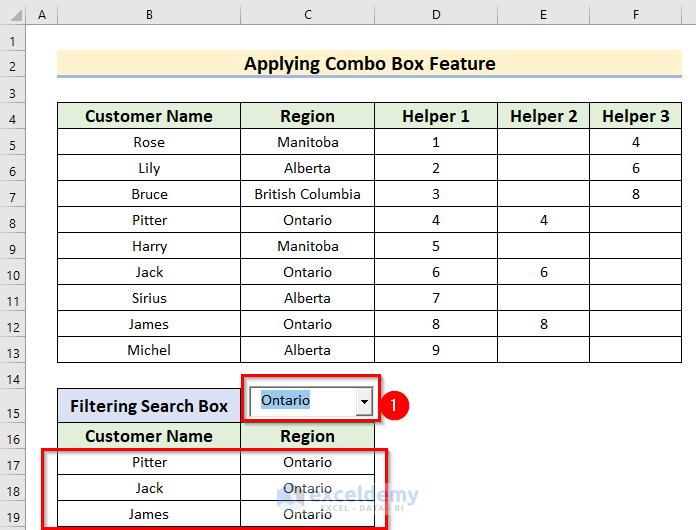
How to Create a Filtering Search Box for Your Excel Data (5 Methods)

In the below dataset, we have 3 columns: Customer Name, Region and Product. Method 1 – Using Data Validation  Steps: Select a cell ...

Add 15 Minutes to Time in Excel: 4 Easy Methods

Method 1 - Use SUM Function to Add 15 Minutes to Time in Excel Steps: Add a new column on the right side and remove all the minute values. ...

Close the CTA

Advanced Excel Exercises with Solutions PDF


ExcelDemy
Logo