Excel Formulas

How to Put Comma in Numbers in Excel (7 Easy Ways)

Suppose we have a dataset of some salesman and their respective annual sales (in USD). Let's insert some commas to make the Sales numbers much ...

Budget vs Actual Variance Formula in Excel (with Example)

What Is Variance Formula? Actual variance is the difference between actual expenditure and budgeted expenditure. We can calculate variance using ...

How to Convert Special Characters in Excel – 6 Methods

  The following dataset showcases Salesman, Product, and Net Sales. To see the sales amounts in pounds (£), convert the symbol into a ...

How to Combine Text and Numbers in Excel and Keep Formatting

Method 1 - Using the TEXT Function with the Ampersand Operator We have a dataset containing the Text and Number column. We are going to combine text ...

How to Add Comma in Excel Between Names (4 Suitable Ways)

If you are searching for the solution or some special tricks to how to add comma in Excel between names then you have landed in the right place. ...

How to Add 2 Digits to a Number in Excel (4 Easy Methods)

We have taken a dataset of some sample numbers. We will show how to add 2 new digits to those existing numbers. Method 1 – Using Ampersand ...

How to Add Characters to an Excel Formula – 4 Methods

  The LEFT function was used in the dataset below to extract the area codes from a list of phone numbers. The area codes are displayed ...

How to Add Single Quotes and Comma in Excel Formula (4 Ways)

Here’s an overview of the dataset, where we'll concatenate the values from the first two columns and add quotes and a comma. Method 1 - ...

Excel IFERROR Function to Return Blank Instead of 0

In this article, we’ll demonstrate 3 practical examples of how to get the Excel IFERROR function to return a blank Instead of 0. Introduction ...

How to Add Text in the Middle of a Cell in Excel – 5 Easy Methods

The dataset showcases IDs of different Smartphone Products. Method 1 - Using the Excel LEFT and MID Functions to Add Text in the Middle of ...

How to Calculate the Market Share in Excel – 4 Examples

How Is the Market Share Calculated? The Market share describes how much a company contributes to the total sales of an industry over time. It is ...

How to Insert a Comma in Excel for Multiple Rows (3 Methods)

Dataset Overview Suppose we have a dataset with several rows containing data, and we want to insert a comma at the end of each row. ...

How to Remove Zeros in Front of a Number in Excel (6 Easy Ways)

Method 1 - Convert Numbers in Text Format to Number Format to Remove Zeros in Excel 1.1 Using Error Checking Option to Remove Zeros in Front of a ...

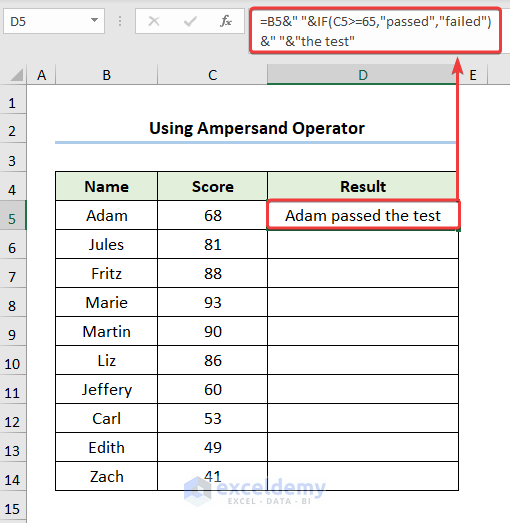
How to Add Text in an IF Formula in Excel (6 Methods)

Dataset Overview Let’s consider a Report Card dataset displayed in cells B4:C14. This dataset contains student names and their scores. ...

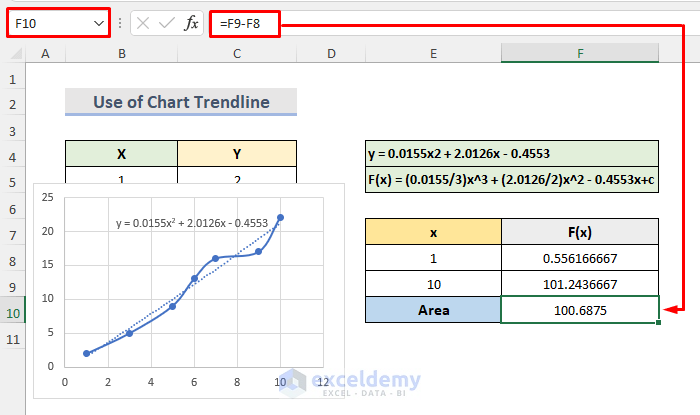
How to Calculate Area Under Curve in Excel (2 Suitable Methods)

Method 1 - Calculate the Area Under the Curve with the Trapezoidal Rule in Excel It is not possible to directly calculate the area under the curve. ...

Close the CTA

Advanced Excel Exercises with Solutions PDF


ExcelDemy
Logo