Are you an HR professional, looking to make a weekly timesheet in Excel? Then, I have some good news for you! The following article demonstrates a ...
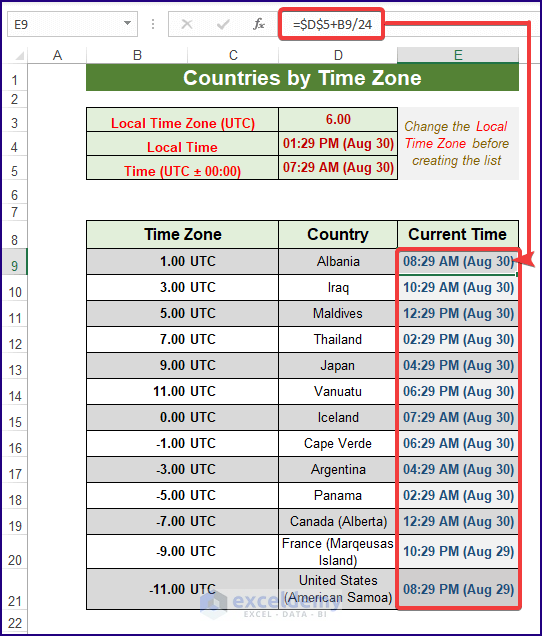
In the dataset below, we have two columns: Time Zone and Country. Click the Number Format icon (Home > Number section) or CTRL+1 to ...
Using Context Menu Select the cells/ranges to clear. Right-click on the selection for the context menu. Select the Clear Contents command. ...
Excel users can solve many problems by using some formulas or proper commands or by combining both in Excel. One such problem is checking if a ...
Why Should We Remove “Last Modified By”? In a word - confidentiality. Every Excel file contains some information like Author name, Organization ...
Step 1 - Prepare Your Dataset Suppose we want to make of solution of Nitric Acid, Potassium Hydroxide and Water. Our target volume of the solution ...
Only 4-digit numbers were used. Example 1. Combining the SUM and the VALUE Functions Steps: Go to C5 and enter the formula: ...
We’ll use a sample dataset, with Input in column B and the Timestamp in column C. We'll input the timestamp in column C whenever we modify the ...
For illustration, here is a dataset with the July Sales Report of fruit sales in the USA and Australia. Filter this dataset. Select cell ...
Method 1 - Use of Solver Feature Enable Solver Feature Go to the File tab. Select Options. Click on Add-ins and select Go. ...
While working in Excel, it is important to know how to Trace Dependents in a set of data. Knowing to Trace Dependency of data helps an Excel user to ...
This is the sample dataset. Example 1- Using the IF Function Consider the following criteria: Steps: Select a cell ...
Method 1 - Using MID and CONCATENATE Functions to Reverse a String in Excel Steps: Enter the following formula in cell C4: ...
In this article we will demonstrate 5 ways to create a search box in Excel with Conditional Formatting. We'll use the following dataset containing ...
The dataset showcases projects and their End Dates. To find if the End Date is greater than 365 days from the current date: Example 1 - ...
Advanced Excel Exercises with Solutions PDF