

In this article, we will learn to find the critical value of r in Excel. Generally, the critical value of r is determined from a chart. But we can also determine the critical value of r in Excel using a formula. Today, we will demonstrate step-by-step procedures to calculate the critical value of r. You can also use the practice book below as an ‘r critical value’ calculator. So, without any delay, let’s start the discussion.
What Is the Critical Value of r?
The critical value of r is the minimum value of r. It is calculated for the given sample size and alpha level. For a small sample size, the value of critical r should be high or near the value of the correlation coefficient.
There are two types of r critical value. They are 1-tailed r and 2-tailed r. The formula for calculating the critical value is slightly different in these two cases. In 2-tailed r, we divide the value of the probability by 2.
How to Find Critical Value of r in Excel: Step-by-Step Procedures
In the following sections, we will discuss the steps to find the critical value of r and explain the used formula.
STEP 1: Make Dataset Structure Ready
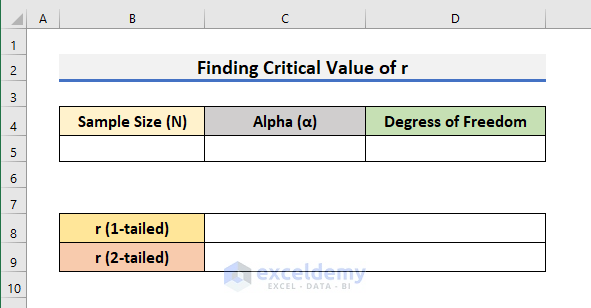
- In the first step, we need to create a dataset structure in our Excel worksheet.
- In the dataset, you need to have cells for Sample Size (N), Alpha (ɑ), and Degrees of Freedom.
- Also, we need to allocate cells to enter the formulas of 1-tailed and 2-tailed r.
STEP 2: Insert Formula of Degrees of Freedom
- Secondly, we will insert the formula of degrees of freedom.
- To find the degrees of freedom, we need to subtract 2 from the sample size.
- In our dataset, Cell B5 will contain the sample size.
- So, in Cell D5, we have typed the formula below:
=B5-2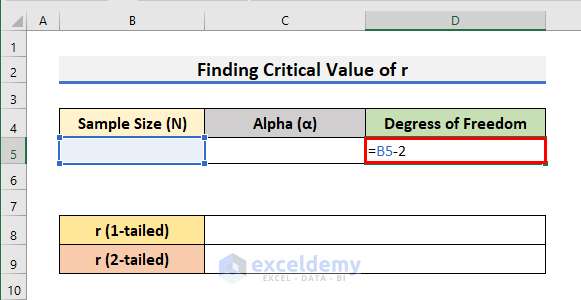
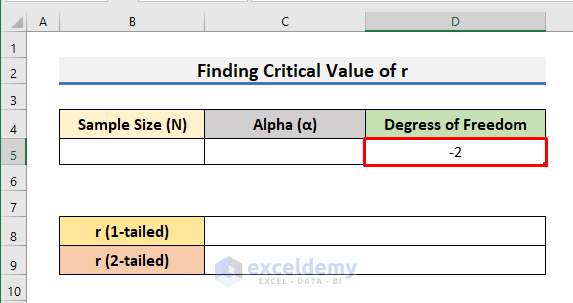
- After that, press Enter and you will see -2 in Cell D5.
- We see -2 in Cell D5 because we have not entered the sample size yet.
Read More: How to Find Critical Value in Excel
STEP 3: Apply Formula to Find Critical r (1-tailed)
- Thirdly, we will apply the formula to find the critical value of r (1-tailed).
- In order to do that, select Cell C8 and type the formula below:
=(T.INV(1-C5,D5))/SQRT((T.INV(1-C5,D5))^2+D5)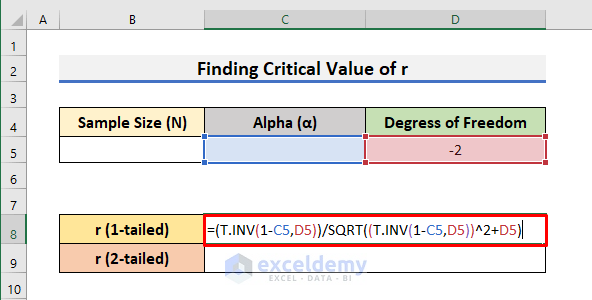
Here, we have used the T.INV function and the SQRT function to find the critical value of 1-tailed r. The T.INV function calculates the left-tailed inverse value of the distribution. It has two required arguments. The first argument denotes the probability and the second argument indicates the degrees of freedom. And the SQRT function finds the square root of a given number.
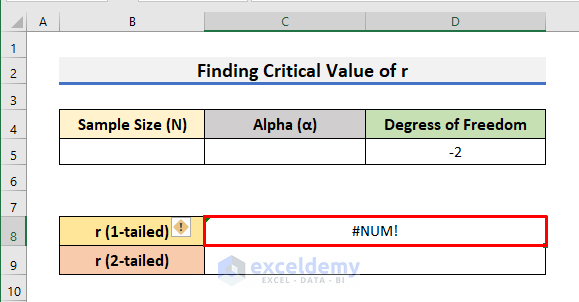
- After typing the formula, hit Enter.
- You will get the #NUM! error. It happens because Cell B5 & C5 are still empty.
STEP 4: Implement Formula to Determine Critical r (2-tailed)
- In the following step, we will implement the formula to determine the critical value of r (2-tailed).
- To do so, select Cell C6 and type the formula below:
=(T.INV(1-C5/2,D5))/SQRT((T.INV(1-C5/2,D5))^2+D5)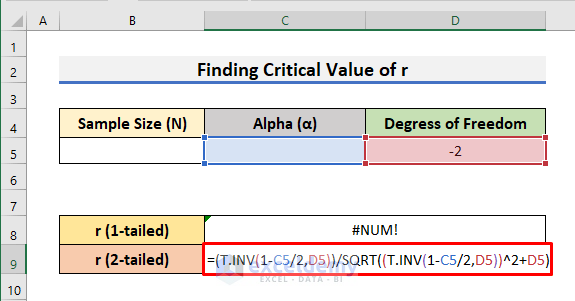
Here, the difference from the previous equation is that we divided the probability or the first argument of the T.INV function by 2.
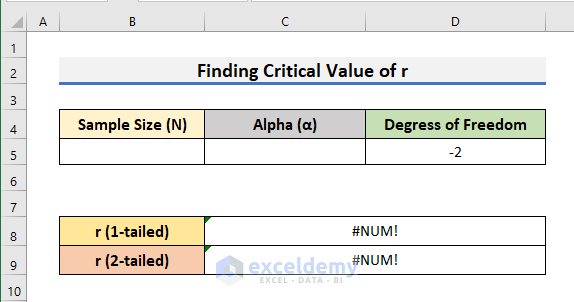
- After that, press Enter. Don’t worry if you see the #NUM! error.
STEP 5: Specify a Value of Alpha (ɑ)
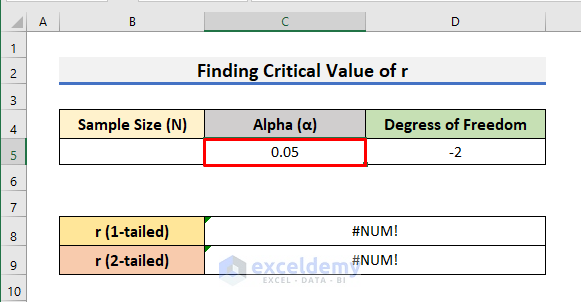
- At this moment, type the value of Alpha (ɑ) in Cell C5.
- In this case, we have used .05 as the value of Alpha (ɑ).
STEP 6: Enter Sample Size (N) to Get Result
- To begin with, in the sixth step, we need to enter the value of the Sample Size (N) in Cell B5.
- We have used 18 as the sample size.
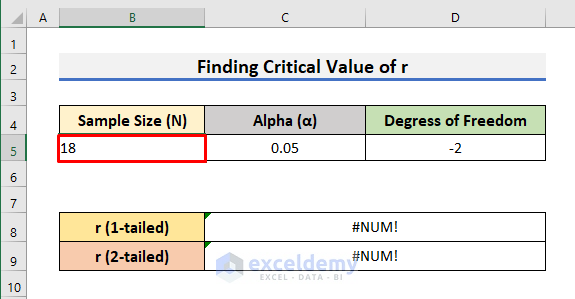
- Finally, hit Enter to see the results like the picture below.

STEP 7: Calculate Critical Value with Different Sample Size (N) & Alpha (ɑ)
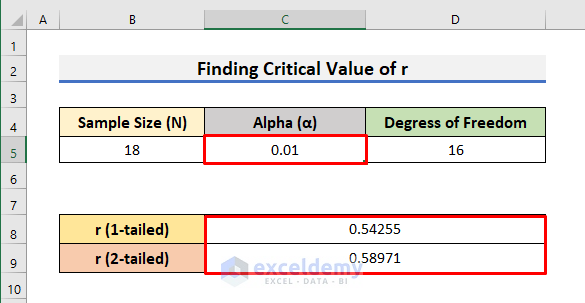
- In order to test the calculator, change the value of Alpha (ɑ), and the critical values will automatically be updated.
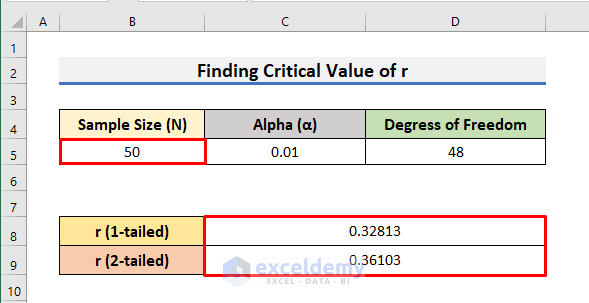
- Again, if you change the Sample Size (N), the r critical values will also be updated.
Download Practice Book
Download the practice book from here and exercise to test your skills.
Conclusion
In this article, we have demonstrated step-by-step procedures to Find the Critical Value of r in Excel. I hope this article will help you to perform your tasks easily. Moreover, you can use the same code to save the file. Furthermore, we have also added the practice book at the beginning of the article. To test your skills, you can download it to exercise. Last of all, if you have any suggestions or queries, feel free to ask in the comment section below.
Related Articles
- How to Find Z Critical Value in Excel
- How to Find T Critical Value in Excel
- How to Find F Critical Value in Excel
- How to Find Chi-Square Critical Value in Excel
<< Go Back to Critical Value in Excel | Excel for Statistics | Learn Excel
Get FREE Advanced Excel Exercises with Solutions!

