Excel Formulas

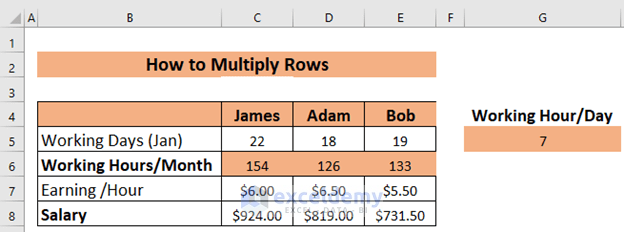
How to Multiply Rows in Excel (4 Easy Ways)

Method 1 - Basic Ways to Multiply Rows in Excel Multiply a Row by a Cell Select the appropriate cell (C6 in this example) and type the ...

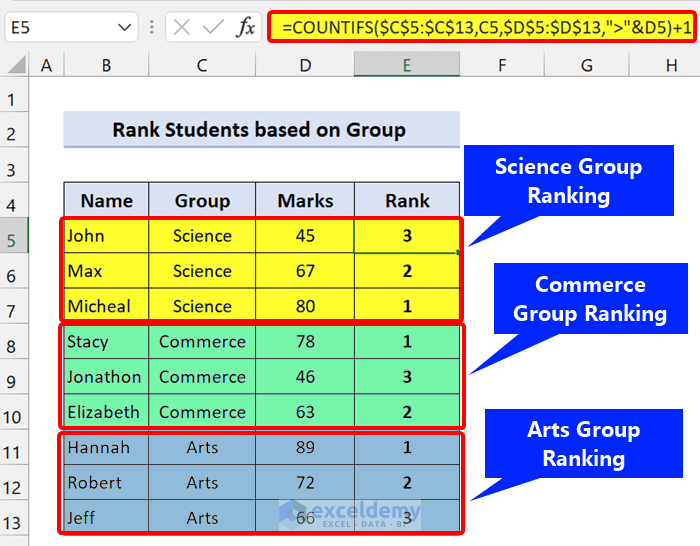
Rank IF Formula in Excel (5 Examples)

Excel Rank Function To rank multiple items there is a built-in Excel RANK Function, which ranks multiple values based on a column that you specify, ...

Random Number Generator in Excel with No Repeats (9 Methods)

Method 1 - Using the RANDARRAY Function The RANDARRAY function, introduced in Excel 365, generates arrays of random numbers. For example, if you ...

How to Multiply Two Columns in Excel (5 Easiest Methods)

We'll use a sample dataset as an example to help you understand how to multiply columns. We are given Names of some Items in column B, Prices in ...

How to Use Multiply Sign in Excel (Including 3 Alternatives)

How to Use the Multiply Sign (*, the Asterisk) for Multiplication in Excel We will use Asterisk (*) to multiply the quantity and unit price for each ...
How to Link Two Workbooks in Excel (5 Methods)

Consider the following dataset, containing half-yearly sales made by six employees of a company in 2021. The source and destination workbooks are ...

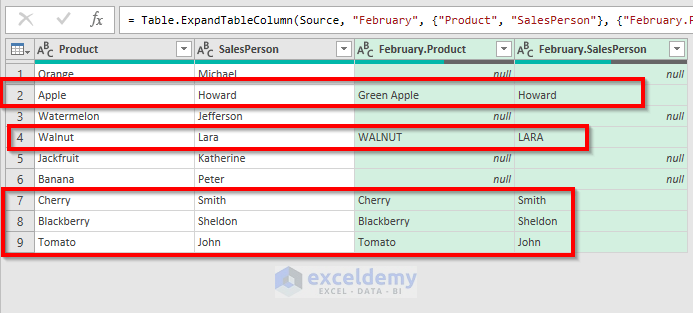
Fuzzy Lookup in Excel with Add-In & Power Query

Method 1 - Using Fuzzy Lookup Add-In Step-01: Creation of Two Tables for Fuzzy Lookup Excel Before using the Fuzzy Lookup option we have to ...

How to Add Blank Space in Excel Formula: 6 Suitable Methods

The image below shows the worksheet that we are going to work with. Method 1 - Add Blank Spaces Trailing Text Values in Excel We'll use ...

How to Link Tables in Excel (3 Easy Methods)

Method 1 - Link Tables Using Pivot Tables in Excel In our dataset, we will use two different tables from two different sheets. Sheet1 contains the ...

How to Link Cells in Excel (7 Ways)

Why Do We Need to Link Cells in Excel? When you create a link between cells or external cell references in a sheet, it helps us maintain the same ...

How to Link Sheets in Excel with a Formula – 4 Methods

The following dataset showcases Salesman, Product, and Net Sales of a company. Method 1 - Creating a Link Formula in Excel to Link Sheets 1.1 ...

How to Link Cells in Same Excel Worksheet (4 Quick Ways)

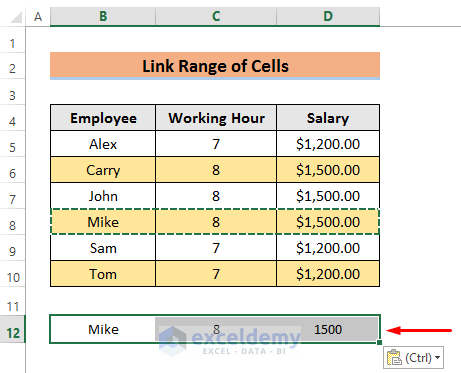
Method 1 - Link Cells in Same Excel Worksheet with Help of Paste Link Linking cells in the same worksheet will save your time when you try to ...

Add Text and Formula in the Same Cell in Excel (4 Examples)

Example 1 - Add Text and Formula in the Same Cell in Excel with the Ampersand Operator We have an Income-Expense List has four columns. We have ...

Save Excel Files as Text Without Quotes (4 Methods)

Download the Practice Workbook Save Excel Files as Text Without Quotes.xlsm 4 Methods to Save Excel Files as Text Without Quotes Method 1 ...

How to Sum by Group in Excel (4 Methods)

We will use the following dataset to illustrate summing by group. We have groups of items in the Items column, some of which repeat. ...

Close the CTA

Advanced Excel Exercises with Solutions PDF


ExcelDemy
Logo