Excel Formulas

How to Calculate Population Mean in Excel (2 Examples)

Sometimes, you need to calculate the average of a big group. Calculating the average manually is a time-consuming process. That’s why we can take the ...

Population Projection Formula in Excel (3 Applications)

There are 3 common ways you can forecast or project the future population in Excel. Linear Projection Geometric Projection Exponential ...

How to Calculate Sum & Average with an Excel Formula (3 Methods)

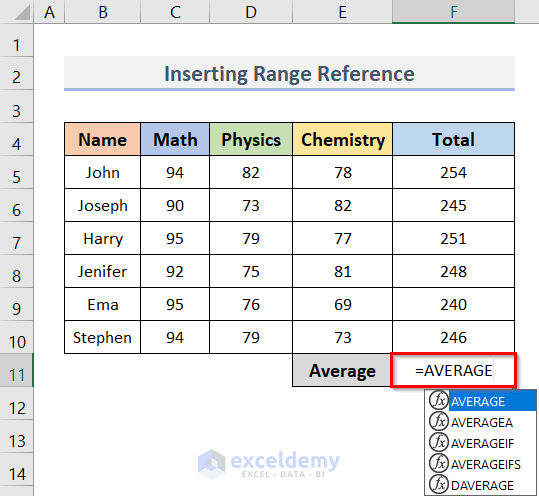
The dataset contains the names of some students and their marks in Math, Physics, and Chemistry. We will calculate each student's total marks in all ...

[Fixed!] How to Fix AVERAGEIFS Value (#VALUE!) Error in Excel

#VALUE! error is a common error in Excel. This error occurs when there is something wrong with the way you typed the formula or the cells you are ...

How to Convert Date of Birth to Age in Excel (3 Easy Ways)

Method 1 - Using Generic Formula to Convert Date of Birth to Age in Excel In our sample database, we added two new columns, D & E called Current ...

How to Find Population Variance in Excel (2 Easy Ways)

The formula for population variance evaluates the mean of the squared distances of data points from the population mean. Therefore, population ...

How to Calculate Remaining Budget Using Formula in Excel

Step 1 - Creating a Heading of the Budget Worksheet Open a blank Excel sheet and use Merge, and Center on some cells. We have taken cells B2 to ...

How to Add a Time to a Date in Excel (4 Methods)

We have the following dataset, 'Adding Time to Date.' Its column headers are Date and Time. We’ll now see different ways to add time to date. ...

How to Calculate Age in Excel for Entire Column

In this tutorial, I am going to show you 6 simple methods to calculate age in Excel for an entire column. You can quickly use these methods even in ...

How to Use Excel COS Function with Degrees (2 Easy Ways)

Cosine is a trigonometric operator. It is related to the angles created by a right-angle triangle. Excel offers a dedicated function named the COS ...

How to Convert CAD to USD in Excel (4 Easy Ways)

Method 1 - Using a General Arithmetic Formula to Convert CAD to USD Steps: Enter the following formula in cell E5: =C5*D5 ...

Cos Squared in Excel (Both Degrees and Radians)

The basic formula for cosine squared, also known as the Pythagoras trigonometric formula, can be presented in the following format: Another ...

How to Change a 1000 Separator to a 100 Separator in Excel – 3 Methods

What Is a Thousand Separator Format? Thousand separator is a symbol (either comma or dot or space etc.) that is used at the 3rd digit of any number. ...

Why Cos 90 Is Not Equal to Zero in Excel?

Sometimes applying trigonometric formulas in Excel does not return the results we expect. When we try to find the value of cos(90) in an Excel sheet ...

How to Add a Comma at the End of text or numbers in Excel – 5 Methods

This is a sample dataset. Method 1 - Adding the Ampersand (&) Operator Steps: Select C5 and enter the formula. =B5&"," ...

Close the CTA

Advanced Excel Exercises with Solutions PDF


ExcelDemy
Logo