The sample dataset has 4 columns: States, Product, Quantity, and Sales. Method 1 - Applying AND & AVERAGEIF Functions for Multiple ...
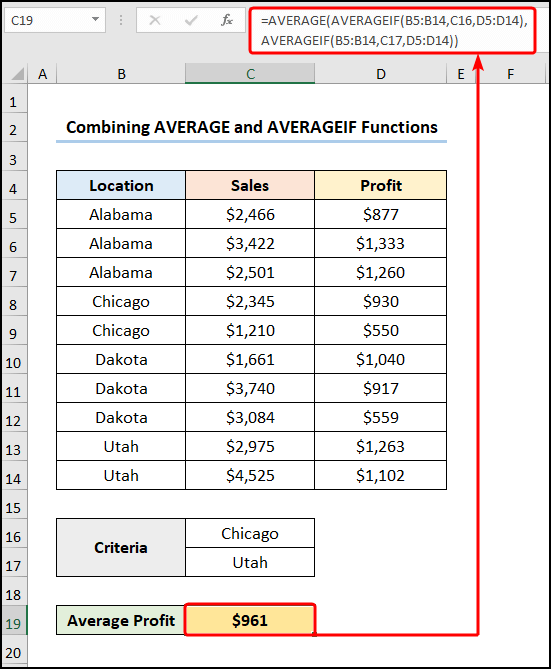
In our day to day life, we often face the necessity of calculating average. In Microsoft Excel, we can do that quite easily. But sometimes we have to ...
Example 1 - Excel AVERAGEIF with ‘Greater Than’ Criteria To find the average for marks greater than 90, enter the following formula in cell H5. ...
In our daily lives, calculating the average of cells containing specific text is a typical chore, and this is where Microsoft Excel shines. In the ...
Estimating the average of a dataset is a common task in our regular professional life. But, sometimes, we need to find the average in a range. In ...
The AVERAGEIF function returns the average of the cells of an array that satisfy one or more given criteria, which can be from the same array or a ...
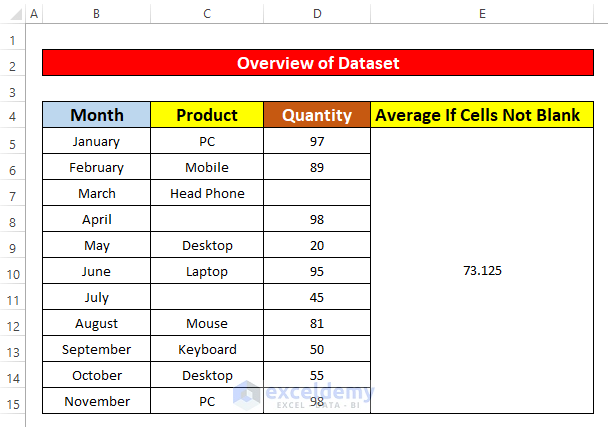
In this article, we will discuss two suitable ways to calculate an average of cells that are not blank. Suppose we have a dataset that contains ...
Advanced Excel Exercises with Solutions PDF