
Latest Posts From Md. Abdul Kader

Suppose there are two sheets in the workbook named Sheet1 and Sheet2. Sheet1 represents the employee name with their states while Sheet2 displays the joining ...
 Md. Abdul Kader
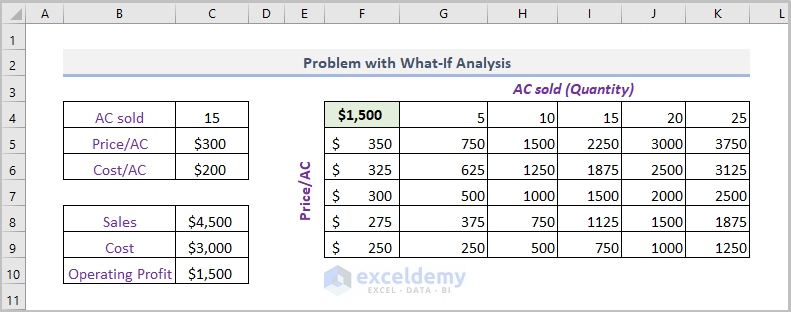
Solution 1 - AutoCorrect Settings Data tables in Excel can automatically expand, but sometimes they fail to do so when new data is entered. For ...

When we need to count the number of non-empty cells in a given database, the Excel DCOUNTA function is the perfect function for the job. In this article, we'll ...

Method 1 - Generating Moving Average in Excel Chart Select data. Click Insert tabs>Charts ribbon. Click Recommended Charts or any chart option ...

Sometimes, we need the sign of any real number. Regarding the demand, Excel provides the SIGN function which returns the sign of number quickly. In this ...

Introduction to Excel SHEETS Function The SHEETS function is a built-in function added in the Excel 2013 version which returns the number of worksheets in a ...

In some cases, we have to calculate the yield based on a security or purchased bonds. Mathematically, we need to solve a complex equation for calculating the ...
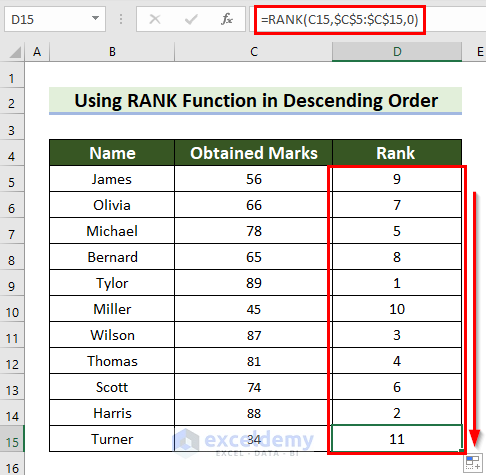
This is an overview. Introduction to the RANK Function in Excel Objective: The RANK function returns the position of a given number in a ...

Introduction to ROUND Function Function Objective The ROUND function is a powerful tool for rounding numbers based on a specified number of digits. Whether ...

The Excel INT Function: Summary A decimal number can be represented as an integer using the INT function, which rounds it down to the lowest integer ...
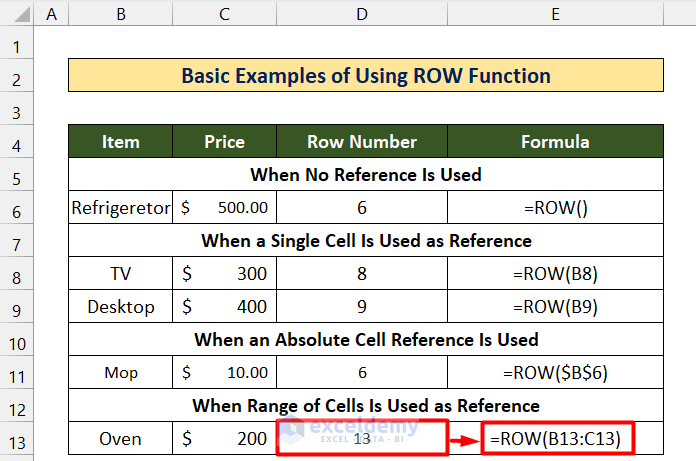
Overview of the Excel ROW Function Description The ROW function returns the row number for a given reference. The reference may be a cell or ...

This is an overview: The Excel NOT Function The NOT function reverses (opposite of) a Boolean or logical value. If you enter TRUE, the ...
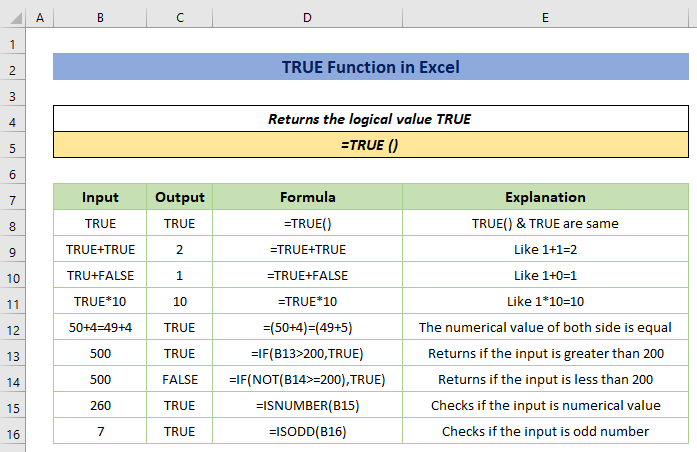
The TRUE function has a special type of compatibility in returning results based on logical conditions. TRUE Function in Excel (Quick View) ...
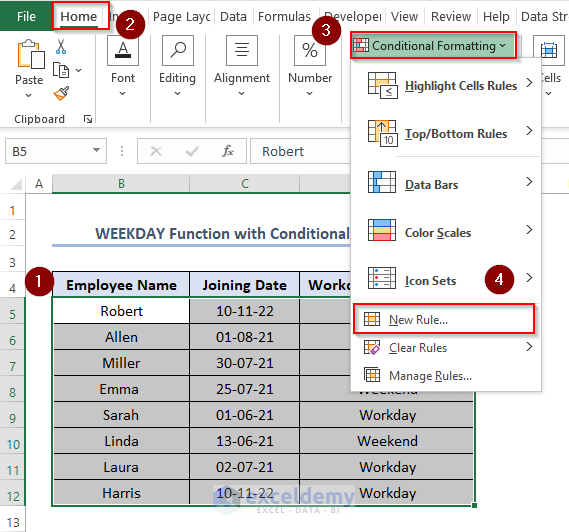
Excel WEEKDAY Function: Syntax & Arguments Syntax =WEEKDAY(serial_number, ) Return Values 0 to 7 (in numbers) Arguments ...
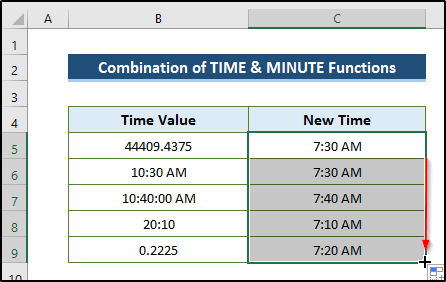
The Excel MINUTE Function Summary The MINUTE function returns the number of minutes in a given time value. For example, if the time value is “10:30 ...
- « Previous Page
- 1
- …
- 4
- 5
- 6
- 7
- 8
- Next Page »
See Our Reviews at


Hello EAC,
Thanks for your question. Most likely, you need to put a not equal sign (<>) inside the If…Then statement of your second code. So, the corrected second code will be as follows-
However, your used three codes are quite messy. I would like to suggest that you can use the following code to lock a specific cell range in all worksheets of your Excel file.
Again, try this code to unlock the specific cell range in all worksheets.
I hope these will work! Moreover, you can follow lock and unlock cells using VBA to explore more efficient methods.
Hello Michael,
Please specify your problem in detail or send the excel file via [email protected] email address.
Dear Deka,
It’s nice to hear from you with such wonderful appreciation. I myself always try to represent Excel applications in a more user-friendly way. And we, the ExcelDemy team, are working as a one-stop Excel solution provider.
Thanks, and take care of yourself. Goodbye!
Md. Abdul Kader
Editor, ExcelDemy.