Excel Formulas

How to Lookup County from Zip Code in Excel: 3 Suitable Ways

Method 1 - Implement XLOOKUP Function Steps: Below the primary data set, construct extra fields for implementing the above function’s formula. ...

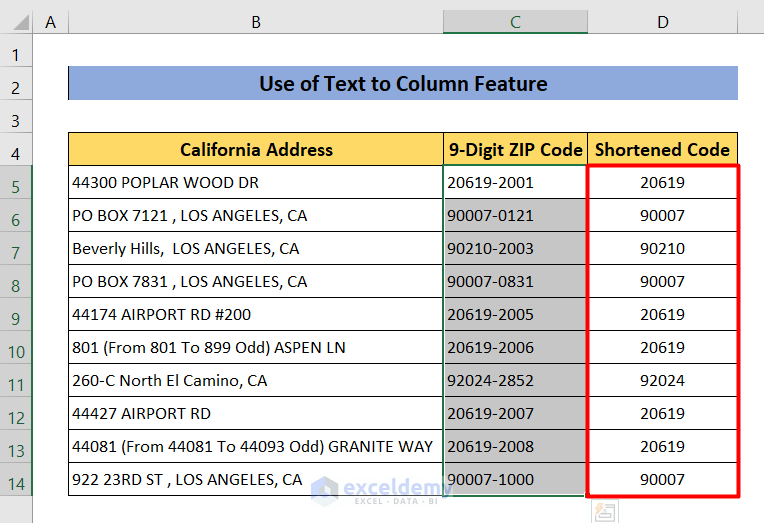
How to Remove the Last 4 Digits of a Zip Code in Excel – 10 Methods

This is the sample dataset. Method 1 - Applying the LEFT Function to Remove the Last 4 Digits of a Zip Code Steps: Click D5. ...

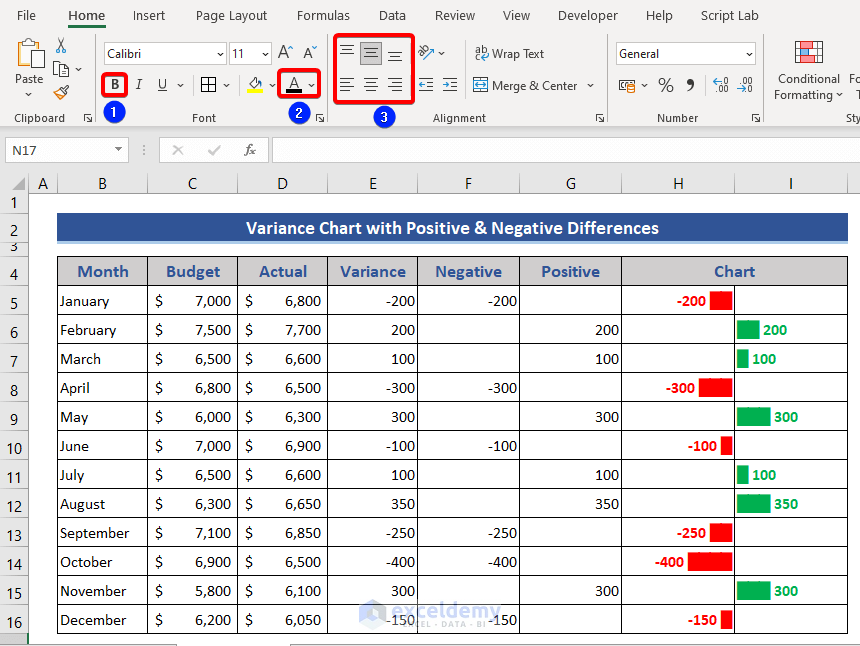
How to Apply Variance Formula in Excel to Get Plus-Minus Results

In this article, I will show you a variance formula that can show results with plus and minus signs in Excel. Variance is a mathematical term that ...

How to Convert USD to CAD in Excel (4 Quick Tricks)

In this article, we will present 4 quick tricks to convert USD to CAD in Excel (and how to convert CAD to USD). We'll use the following dataset to ...

How to Change the Comma Separator in Excel (7 Easy Methods)

Dataset Overview Assume we have a dataset containing a list of fruit, country and the sales amount. Method 1 - Using Excel Options Dialog ...

How to Create Real Time Currency Converter In Excel

In this tutorial, I am going to share with you 2 effective ways to create a real-time currency converter in Excel. You can easily apply these methods ...

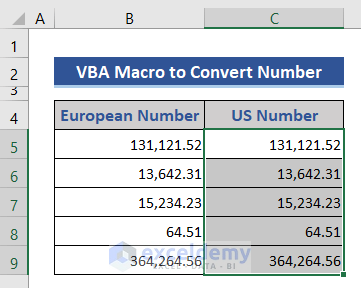
How to Convert European Number Format to US Format in Excel (4 Methods)

A number format is a standard way to present numerical values that can be easily understood by a wide audience. Different regions around the world ...

Probability Formula for Lottery in Excel (3 Instances)

While working in Microsoft Excel, we sometimes need to calculate the probability of a lottery with simple formulas. But it might seem difficult to ...

How to Add Parentheses with CONCATENATE Function in Excel 

You might occasionally need to add brackets around the text in a cell to contain the cell value for a specific purpose. You can easily add brackets ...

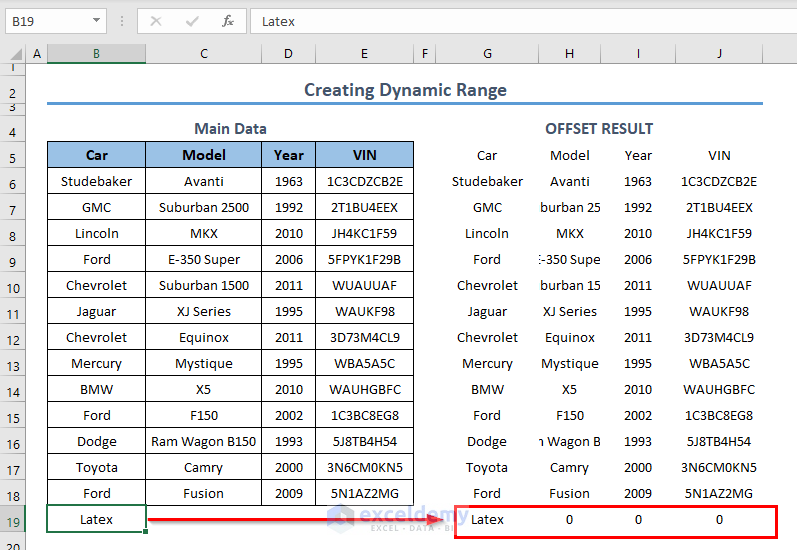
Creating Dynamic Ranges with the OFFSET and the COUNTA Functions in Excel – 2 Methods

The OFFSET and the COUNTA Functions The OFFSET function returns a reference to a range. The syntax of the OFFSET function is: ...

How to Find Partial Derivatives in Excel (with Easy Steps)

A partial derivative in mathematics is the function's derivative with respect to one of the variables while keeping the others constant (as opposed ...

How to Concatenate with VLOOKUP in Excel (4 Easy ways)

  Consider the following dataset. We have the records of several people and will look up a value from the dataset using VLOOKUP and other ...

How to Apply the Excel COUNTIF Function in a Pivot Table Calculated Field

The dataset showcases sales information. Calculate the number of days with total sales greater than 100 units: Step 1 - Create a Pivot ...

How to Calculate 99 Confidence Interval in Excel (2 Easy Ways)

The confidence interval is a very important statistical parameter. It gives a proper insight into how precise a data survey is. This allows users to ...

How to Count Words Separated by Comma in Excel Cell

Method 1 - Using Combination of LEN, TRIM, and SUBSTITUTE Functions The TRIM function removes all spaces from a text string except for single ...

Close the CTA

Advanced Excel Exercises with Solutions PDF


ExcelDemy
Logo