1.

Excel Conditional Formatting with Named Range (3 Examples)

Download Practice Book Example 1 - Using Array Formula with Named Range in Conditional Formatting Name the range you want to use inside the conditional formatting formula. Select the range C5:C14 and…

2.

Excel Dynamic Range (Complete Guideline)

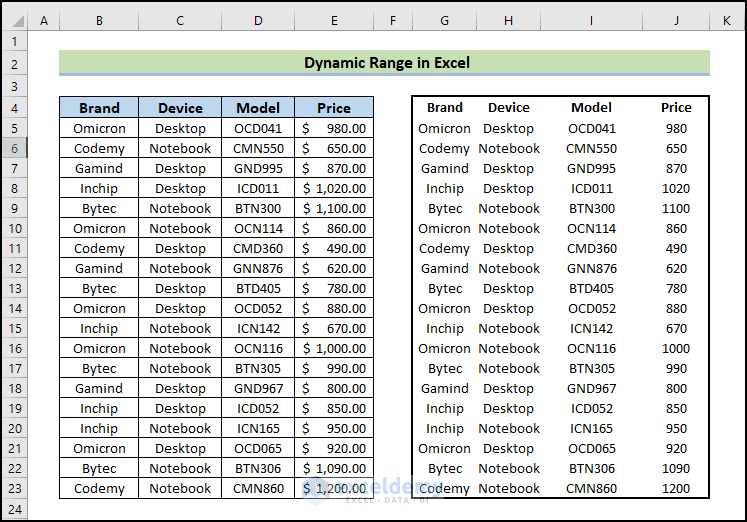
In this article, we will demonstrate how to create a dynamic range in Excel. We will go over topics including defining dynamic ranges, using dynamic range references in formulas, and applying dynamic…

3.

How to Reference a Named Range in Another Sheet in Excel (3 Examples)

  What Is Named Range in Excel and How to Create It Names frequently refer to individuals, things, and locations in daily life. For instance, you would say "Washington, DC" rather than…

4.

How to Use the Excel INDIRECT Function with Named Range (2 Examples)

Named Ranges are a powerful feature in Excel that allows you to assign a name to a range of cells, making it easier to reference and use that range throughout your workbook.…

5.

How to Find a Named Range in Excel (4 Easy Ways)

For various Excel objectives, we occasionally change the names of cells and ranges to suit our needs. Finding and navigating to a specific named range might be challenging when working with a…

6.

How to Ignore Blank Cells in a Named Range in Excel – 5 Methods

This will be the final output: The dataset showcases “Buying Price” and “Selling Price”. There are blank cells in "Selling Price”. To find the “Buy - Sell Ratio” values, ignoring the errors:…

7.

How to Use ‘Named Range’ in Excel VLOOKUP Function (2 Ways)

  Method 1 - Using Excel VLOOKUP Function with Named Range Steps: Select the range for which you want to give a name. In this dataset, C5:E14 is the range we chose.…

8.

How to Navigate to a Named Range in Excel (3 Easy Ways)

Sometimes we change the names of cells and ranges as per our need for various purposes in Excel. While working with a large dataset with lots of named ranges, it might become…

9.

How to Display Named Range Contents in Excel (4 Quick Ways)

Admittedly, Named Ranges are a quirky and often misunderstood feature of Excel that most people think is pointless. In reality, the issue is that few people are familiar with this unusual but…

10.

How to Delete All Named Ranges in Excel (2 Ways)

Suppose you created a huge number of named ranges in your worksheet but now there is no use for these named ranges. To delete all named ranges in Excel you need to…

11.

How to Use Dynamic Named Range in Excel Chart (Step by Step)

  Step 1 - Preparing the Dataset for a Dynamic Named Range in Excel We’re going to use the following dataset that illustrates the growth of the world population from 1950 to…

12.

How to Change the Scope of a Named Range in Excel – 3 Methods

This is the sample dataset. Method 1. Using the Define Name Feature to Change the Scope of a Named Range Steps: Go to Formulas >> Define Name. A dialog box will open.…

13.

How to Name a Column in Excel (3 Easy and Effective Ways)

Method 1 - Using Table Title to Name a Column in Excel In the following table, we can see that the columns are represented by the English letters A, B, C, and…

14.

How to Use Named Range in Excel VBA (2 Ways)

Many a time while working with VBA in Excel, we have to use a Named Range. In this article, I’ll show you how you can create and refer to a Named Range…

15.

How to Paste Range Names in Excel (7 Ways)

In this article we will demonstrate some of useful ways to paste range names in Excel. Pasting range names can simplify working in Excel, particularly when making data tables or in formulas.…

Advanced Excel Exercises with Solutions PDF