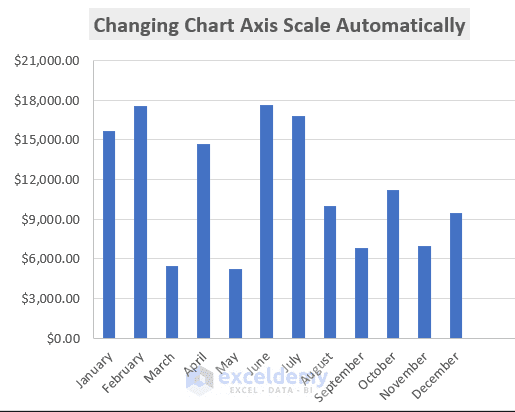
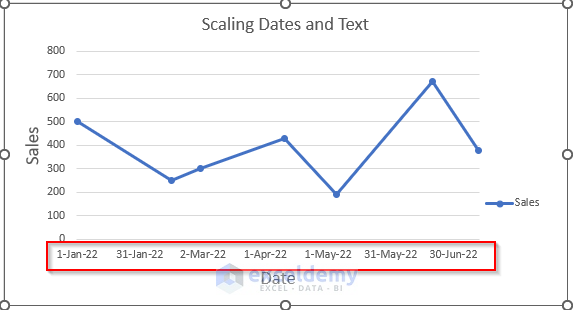
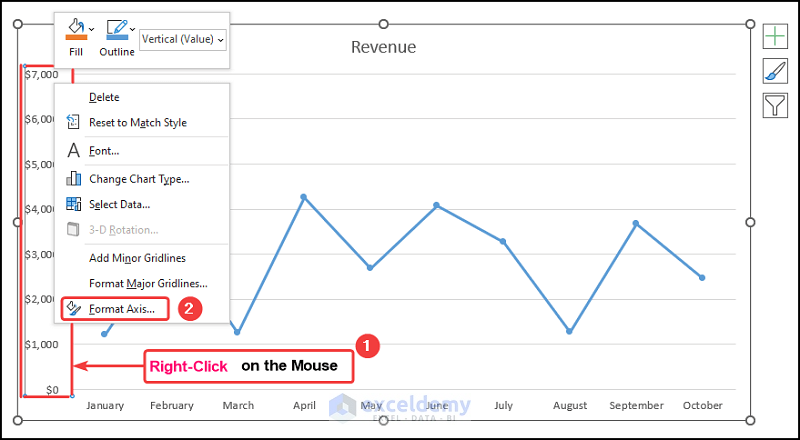
This is an overview. Method 1 - Using the Format Axis Feature to Change the Chart Axis Scale in Excel Step 1: Creating a Dataset for X and Y axis Enter…
STEP 1 - Prepare the Dataset In this dataset, there is information about the population of humans and African Elephants over a large range of time. We will plot the change in…
Month and Net Sales are columns in the following dataset. It is crucial to notice that the dataset we will work with has some numeric values that are remarkably less than the…
If you are looking for how to change the X-axis scale in Excel, then you are in the right place. You are not alone in facing problems of not finding the range…
Method 1– Adding a Dummy Axis Step 1: Adding a Break Value and a Restart Value Create 3 new columns after Product and Sales, named Before, Break, and After. Name 2 cells…
The scale for a graph axis is crucial for maximizing data visualization because it can have a big impact on how an audience understands a message. The scale chosen for a graph…
Generally, if you use a Line Chart, it works fine. Let’s have a look at the following picture. If we create a Scatter Chart based on this dataset, you may find the…
While working in Microsoft Excel with the sales-related worksheets, sometimes we need to change the Y-axis scale for the convenience of our work. The chart shows you a trend in the share…
Let’s consider the Revenue Earnings by Month dataset shown in the B4:D14 cells. We have the Month Numbers, the Month Names, and the Revenue earnings in USD, respectively. Example 1 - Set…