Excel Compare Dates

[Solved!] Formulas to Compare Dates in Excel Not Working

Here's an overview of formulas not working when comparing dates. We'll show the most common reasons behind these issues and how to fix them. ...

How to Use Conditional Formatting to Compare Dates in Excel

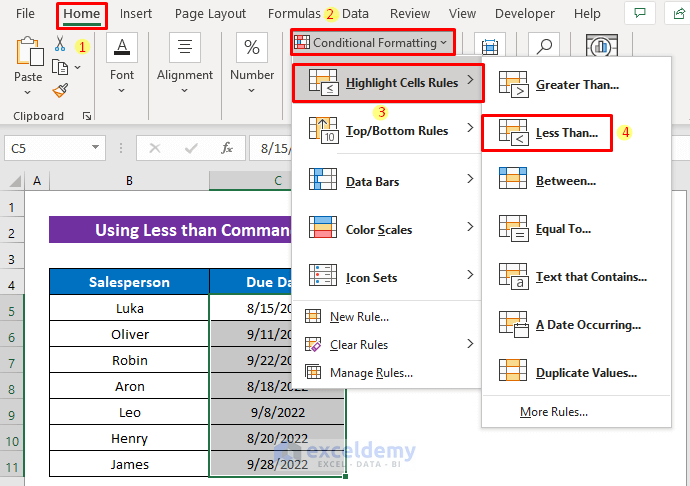
Conditional formatting is a fundamental aspect of using Microsoft Excel. This enables us to locate certain values within a huge or random set of ...

How to Apply Conditional Formatting to Dates 6 Months prior to Today – 3 Steps

The dataset show cases products and manufacturing dates. To highlight dates 6 months prior to today: Step 1 - Select the Range and Add ...

Excel Conditional Formatting Based on Past or Due Date

Method 1 - Using Excel TODAY Function to Get Past or Due Date Steps: Insert the following formula in Cell D5- =C5<TODAY() Press ...

How to Check If a Date Is Within 7 Days of Another Date in Excel (7 Methods)

Dataset Overview We'll use the following dataset to demonstrate the methods. The dataset contains three columns: Product, Order Date and Delivery ...

How to Compare If Date Is Before Another Date in Excel: 6 Quick Methods

Method 1 - Use a Formula to Compare If a Date Is Before Another Date Steps: Select a cell to write a formula. We selected cell (E5). Apply ...

How to Use COUNTIF for Date Greater Than 30 Days in Excel

Looking for ways to know how to count dates greater than 30 days using the COUNTIF Function in Excel? Sometimes, we want to count dates that are ...

How to Compare Dates in Two Columns in Excel (8 Methods)

Method 1 - Compare Dates in Two Columns Whether They Are Equal or Not Steps: Select an appropriate cell (D5 in this example) and use the ...

Using an Excel Formula If the Date Is Greater Than 365 Days – 4 Examples

The dataset showcases projects and their End Dates. To find if the End Date is greater than 365 days from the current date: Example 1 - ...

How to Compare Dates to Today with Excel VBA – 3 Methods

The following sales dataset contains the amounts of sales and the date. To compare the dates to the current date: Press ALT+F11 to ...

How to Use Excel Formulas to Compare Two Dates

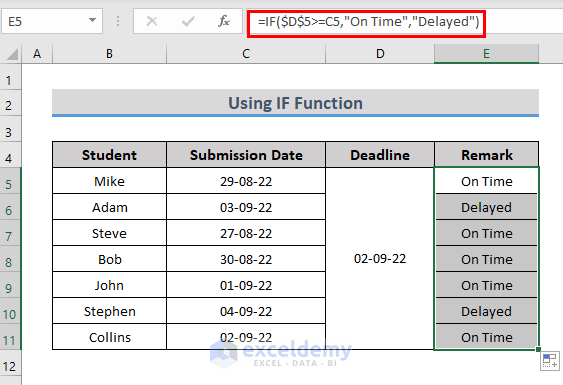
We have a dataset of some Students who have to submit their assignments, the Date of Submission & the Deadline, and the Remarks (if the ...

How to Apply Conditional Formatting for Dates That Are Older Than a Certain Date in Excel (5 Methods)

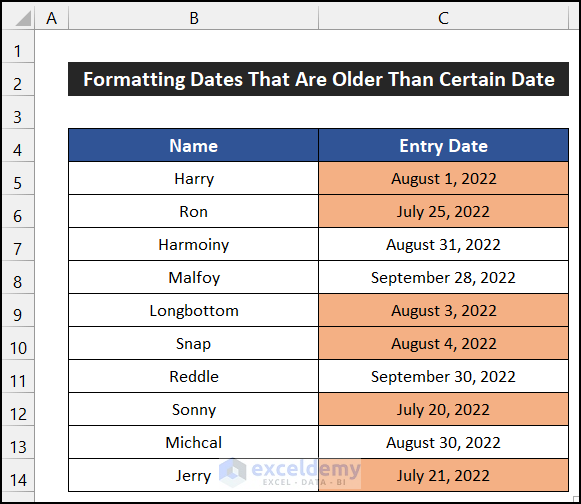
Dataset Overview To illustrate these methods, let's use a dataset containing the joining dates of 10 employees in a new startup company. Our dataset ...

Excel Formula If Date Is Less Than Today (4 Examples)

Let’s say we have a Student-wise Submission Dates list of a certain institution. This dataset contains the First Names, Last Names, and Submission ...

How to Find If the Date Is Within 3 Months in Excel – 5 Methods

The sample dataset showcases the End Dates of different projects. To see if the End Date is within 3 months from the Current Date: ...

Excel Formula If Date Is Greater Than 2 Years (3 Examples)

Example 1 - Use the DATEDIF Function to Return a Specific Text If a Date Is Greater Than 2 Years We will apply the DATEDIF function to calculate the ...

Close the CTA

Advanced Excel Exercises with Solutions PDF


ExcelDemy
Logo