
[Solved] multiple sheet 3D reference not available with Lookups or IF functions

pisto

New member
I need to look up a simple "Yes" value on multiple sheets for an attendance and homework tracker I am building for a work project. I need to pull out only the present students, list them and then indicate per day if they have reported homework or not. Each day's attendance is on an individual sheet. Only Yes or No text values are used. The problem is getting across multiple sheets to pull a name that is present on ANY of them, and then track homework per name, per sheet (day). I know it's possible, but the 3D reference feature (shift and select first and last sheet) is not supported on any of the functions I see are popular for this program. We add a new sheet every day and we will have about 75 sheets total per term.

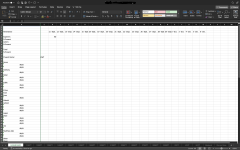
The screenshot is using an XLOOKUP for one of the sheets, if I could just pile on the other names that come up present and then reference those cells for the column look up on each day's sheet I would be fine, but it's getting the names there that are the problem. Only about 50% of the roster shows up across the board, so that's why I want to filter out the absent names.
 

Attachments

  • Screenshot 2023-10-09 at 9.13.31 PM.png
    Screenshot 2023-10-09 at 9.13.31 PM.png
    707.1 KB · Views: 7
I need to look up a simple "Yes" value on multiple sheets for an attendance and homework tracker I am building for a work project. I need to pull out only the present students, list them and then indicate per day if they have reported homework or not. Each day's attendance is on an individual sheet. Only Yes or No text values are used. The problem is getting across multiple sheets to pull a name that is present on ANY of them, and then track homework per name, per sheet (day). I know it's possible, but the 3D reference feature (shift and select first and last sheet) is not supported on any of the functions I see are popular for this program. We add a new sheet every day and we will have about 75 sheets total per term.

The screenshot is using an XLOOKUP for one of the sheets, if I could just pile on the other names that come up present and then reference those cells for the column look up on each day's sheet I would be fine, but it's getting the names there that are the problem. Only about 50% of the roster shows up across the board, so that's why I want to filter out the absent names.
Dear Pisto,
From your provided screenshot, it's difficult for me to offer a solution without knowing how the other sheets are organized. Do you have separate columns for attendance and homework, or is everything in one column? To help me better understand the context, could you share a sample dataset file with me? Thank you for your assistance.

Aniruddah
Team Exceldemy
 
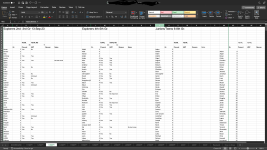
Thanks for the reply. I guess I needed a bit more detail. I have separate columns and I can get the formatting sheet to sheet consistent if needed.
 

Attachments

  • Screenshot 2023-10-10 at 10.35.17 AM.png
    Screenshot 2023-10-10 at 10.35.17 AM.png
    676.3 KB · Views: 7
Dear Pisto,

Thanks for providing another screenshot. Unfortunately, I could not use any 3D reference formula as it would not be dynamic. However, I have written a custom VBA Function that will compile all the student names present at least once across all the sheets. From your screenshot, I could only see that you have 4 separate groups of students. Hence, I wrote a code that only checks those 4 columns across all the sheets in the workbook to compile students' names. If you have more groups, you can easily modify the macro code to add them. Here, you have to make sure that the students' names are unique and that the same name does not appear in multiple groups.

Hopefully, it will solve your first part of the problem which is to compile all the students' names who are present at least one time.

Another part of your problem was to track homework per name. From your screenshot, it is not clear to me how you are willing to track the homework. Do you need to extract the HW column value from the corresponding Date worksheet for each individual? For that, you need to organize the Column’s name in the DASHBOARD sheet to be exactly the same as the corresponding worksheet’s name. Then we can use another Custom Function to extract the HW value.

I am providing you the Excel file with a sample dataset similar to yours that contains the VBA Macros. First, please verify whether it solves the first part of your problem. You can add new students on a new worksheet and then run the macro by clicking the button and check whether it adds the new students or not.

If it does, then we can move to solve the 2nd part.

Looking forward to your response.

Regards
Aniruddah
Team Exceldemy
 

Attachments

I in no way expected anyone to do this work for me, just point me in the right direction. So, you have done already much more than you needed to. If VBA is what I need to do, then I will look at what is involved. I don't need to extract the exact value, just check for "no" values and report back with any indication. So, what I was thinking was, check for the name per sheet according to the date w/ a MATCH or whatever function and then report the value X number of columns over. I think I can handle that part, it was just sorting through the names that was a problem.

Thanks I very much appreciate your help to his extent and I promise to learn what you did with the VBA. I will review this more in the coming days.
 
Dear Pisto,
I'm glad to hear that my response was helpful. It's great that you're willing to dive into VBA to solve your task. Your approach to using MATCH or similar functions to check for "no" values and reporting them back sounds like a good plan. If you have any questions or run into issues as you work through this, feel free to return to the forum and ask for assistance. We will be more than happy to help you.

Best Wishes
Aniruddah
Team Exceldemy
 

Online statistics

Members online
0
Guests online
283
Total visitors
283

Forum statistics

Threads
460
Messages
2,044
Members
2,162
Latest member
lu88mom1
Back
Top